

Screaming Frog Log File Analyser with Rankerfox
Use Screaming Frog Log File Analyser in the Rankerfox Premium plan to import server logs, verify search and AI bots, read URLs that were actually crawled, spot errors, measure crawl frequency, and compare log data with crawl data.
Plan
Screaming Frog Log File Analyser is mapped to the Rankerfox Premium plan for advanced technical audits, migrations, and server log analysis.
Core use
Bot analysis, crawled URLs, response codes, redirects, response times, bytes, visited sections, and undiscovered pages.
Public version
Version 7.0 highlights AI bot verification, user-agent grouping, time series charts, and more practical exports.
See what bots really visit
A crawl shows what a tool can discover. Logs show what Googlebot, Bingbot, AI bots, and other agents actually requested from the server. That reading is valuable when a team needs to separate a theoretical issue from a problem that consumes crawl budget, slows a section, or leaves important pages untouched.
Drag log files into the interface, let the tool recognise them, and work from a readable database instead of raw server lines.
Separate genuine search and AI bots from spoofed user-agents, then focus analysis on reliable visits.
See which URLs are visited, when, by which bot, how often, and with which response codes.
Isolate 4XX, 5XX, redirects, inconsistent responses, and sections receiving unnecessary bot visits.
Use time series charts to spot crawl spikes, drops, slowdowns, response code changes, or unusual bot activity.
Import an SEO Spider crawl, sitemap, or URL list to find orphan pages, known pages not visited, and coverage gaps.
Log File Analyser views to use in an audit
Screaming Frog's public screenshots show a very practical tool: sort events, verify bots, segment user-agent families, then connect logs with known URLs.
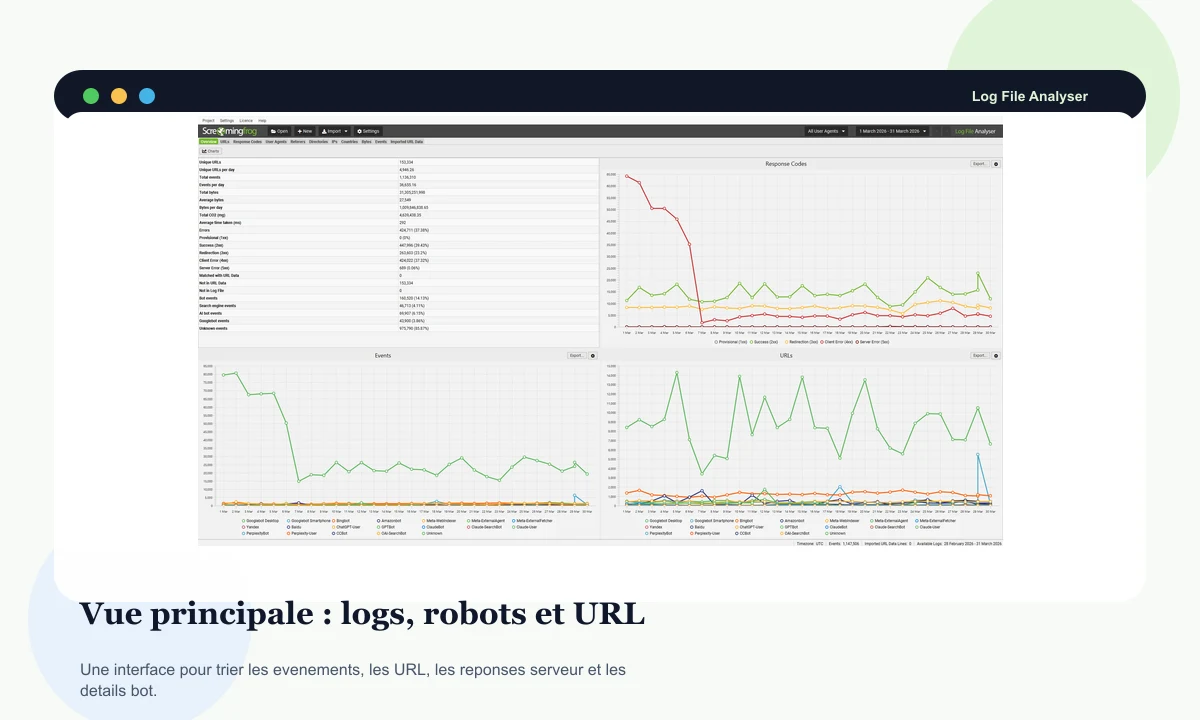
The interface groups events, URLs, response codes, user-agents, charts, and details so a raw file can become SEO insight.
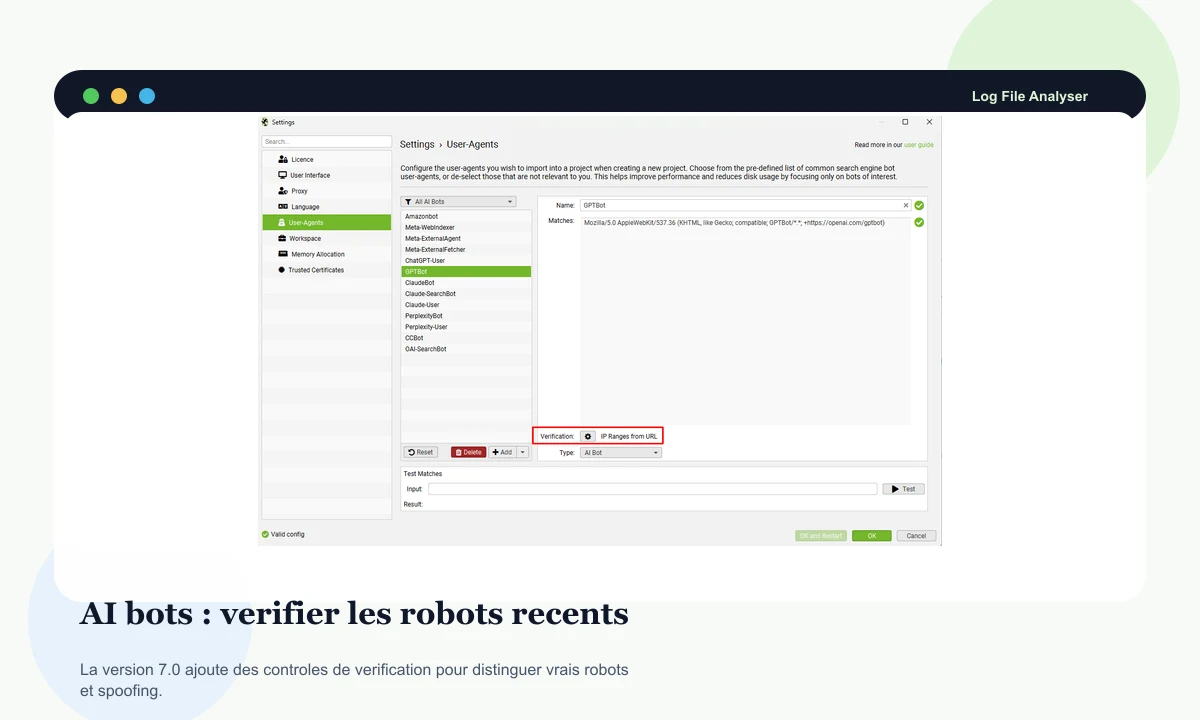
Version 7.0 adds AI bot verification, useful for monitoring ChatGPT, Perplexity, ClaudeBot, and other agents without mixing real crawl and spoofing.
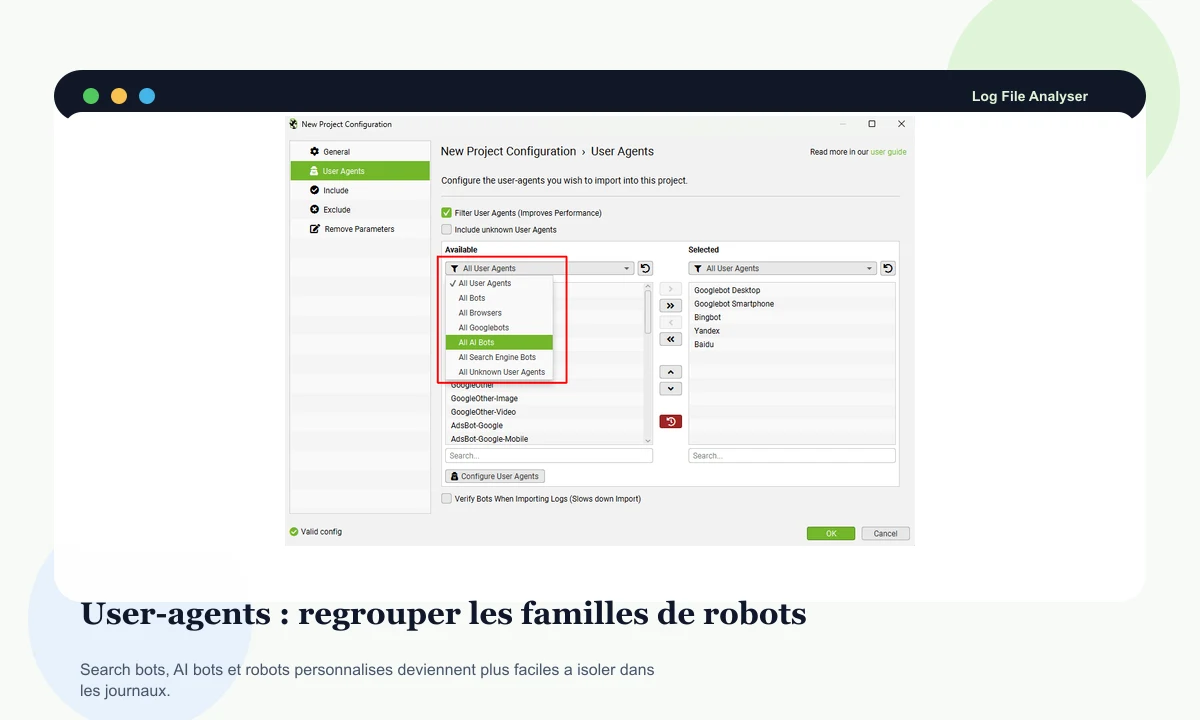
Groups make it easier to isolate search bots, AI bots, custom agents, and other families without manually rebuilding every filter.
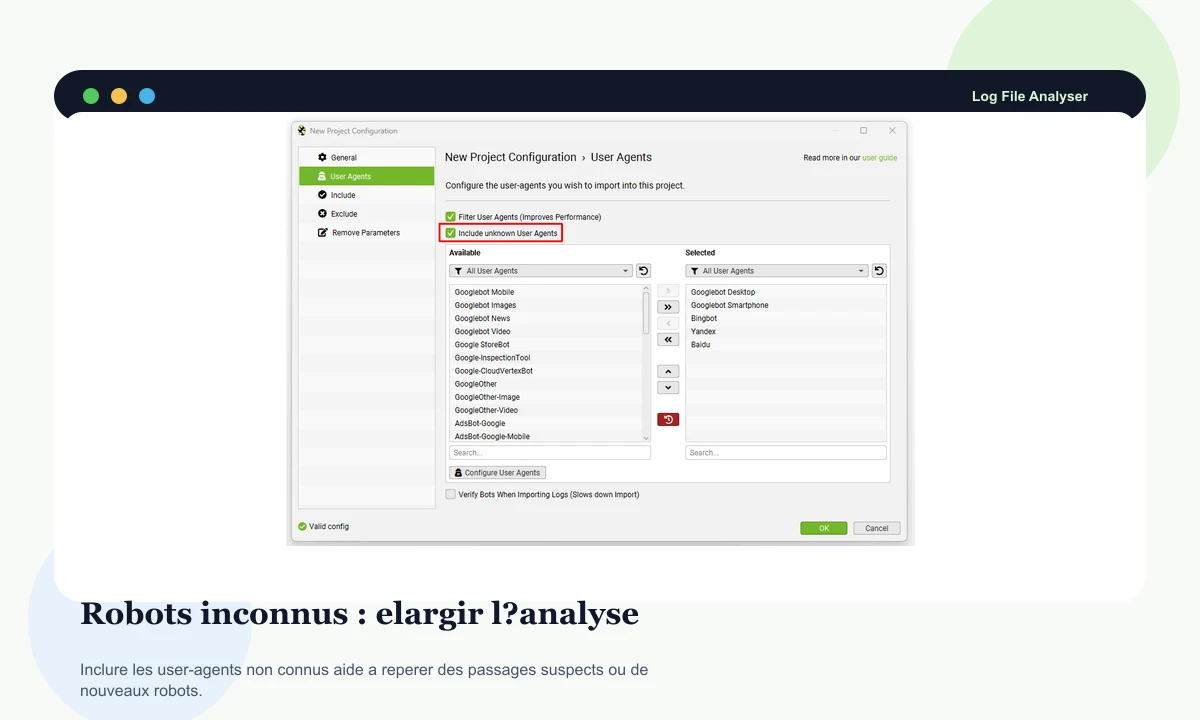
Including unknown agents can help spot an emerging bot, aggressive crawler, or server-side activity worth monitoring.
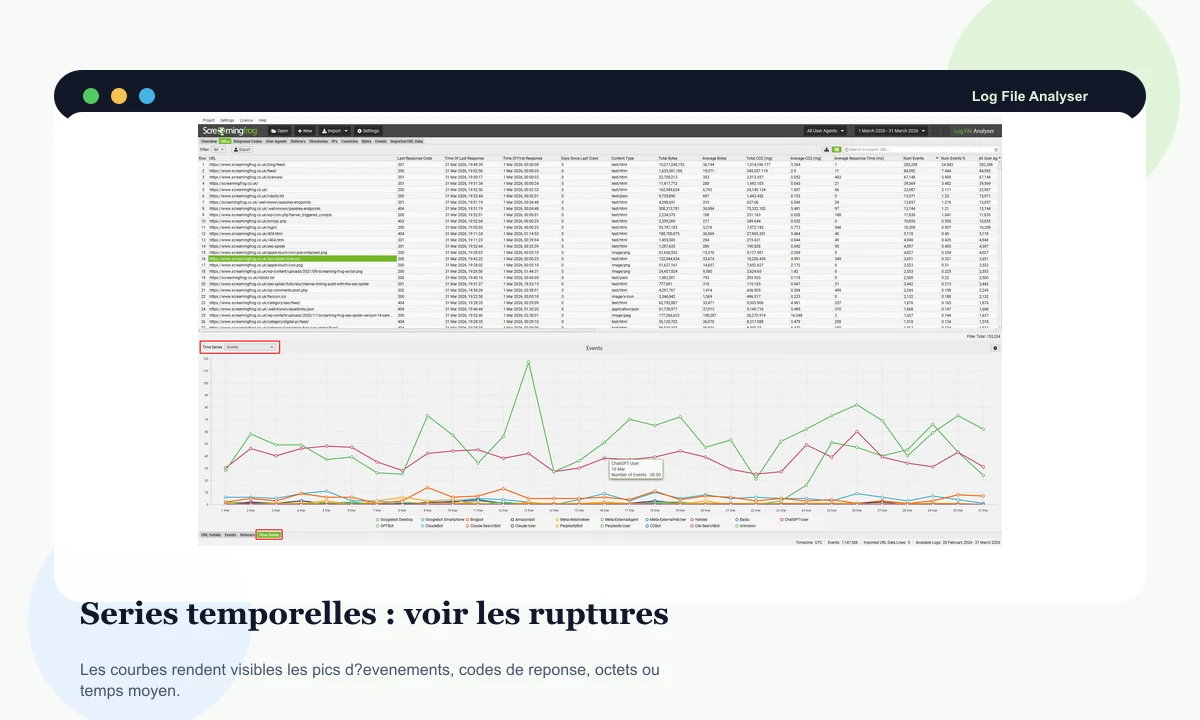
Charts by events, codes, bytes, or average time make breaks visible when they would disappear inside a long table.
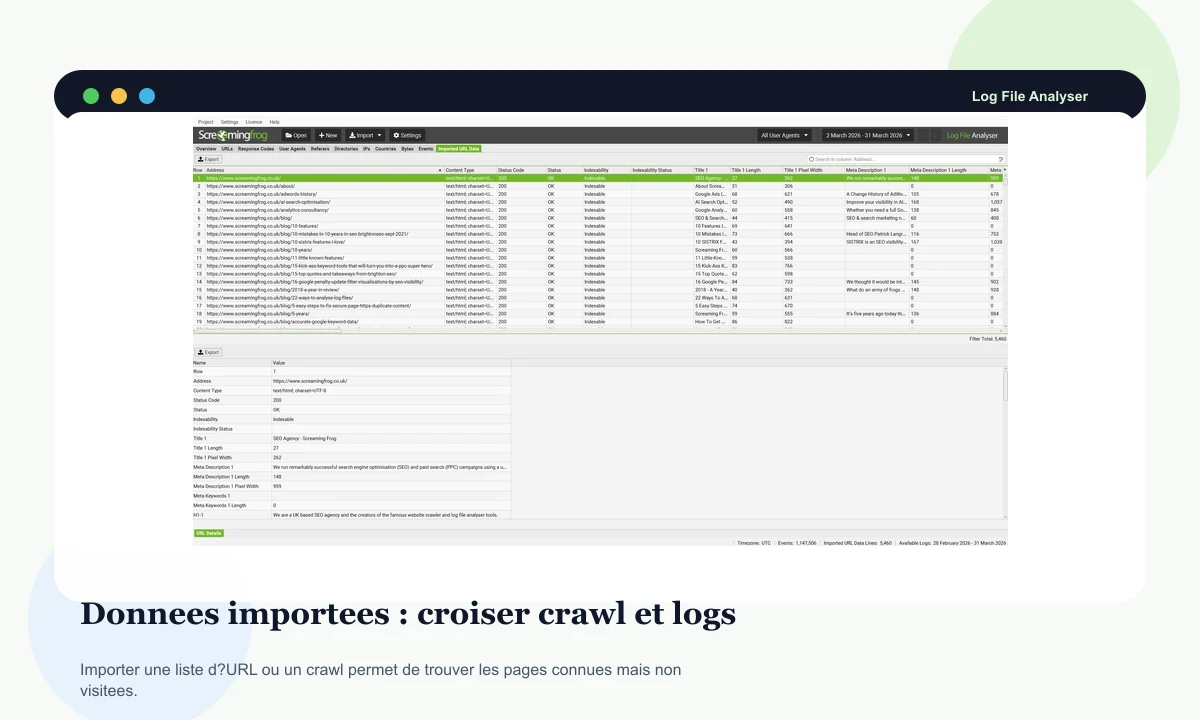
Importing a crawl, sitemap, or URL list helps verify whether expected pages are actually seen by bots.
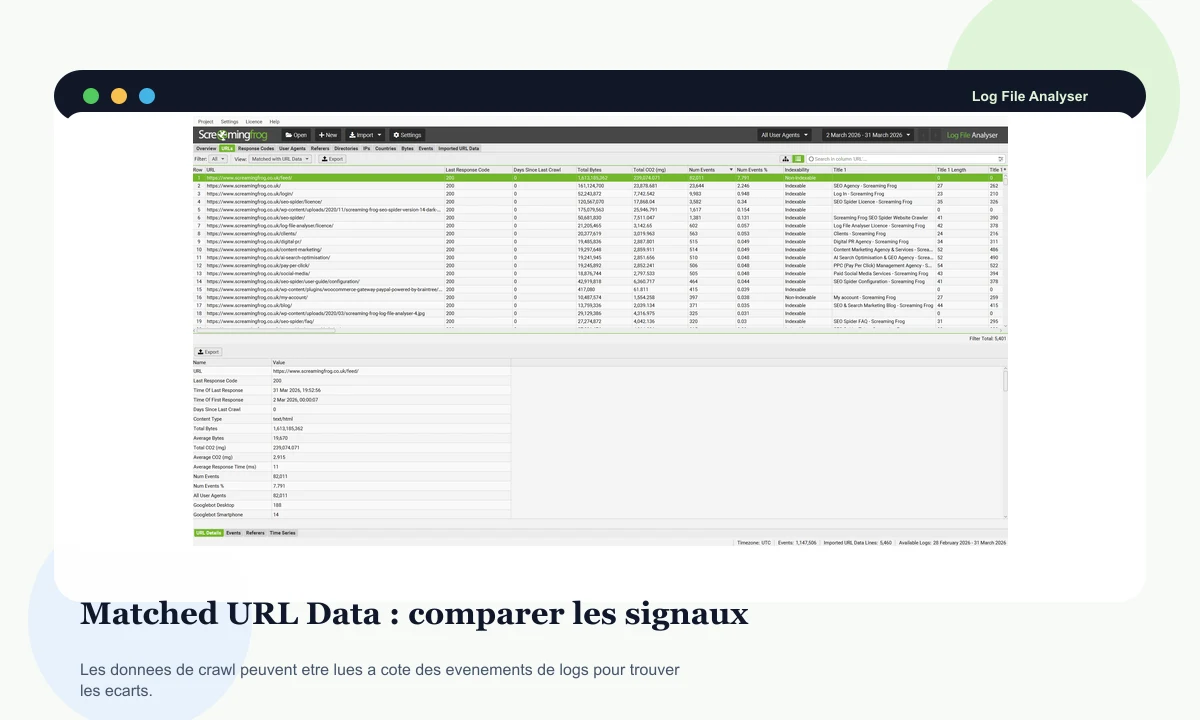
Matching helps identify URLs that appear in logs but not in the crawl, or known URLs that bots do not visit.
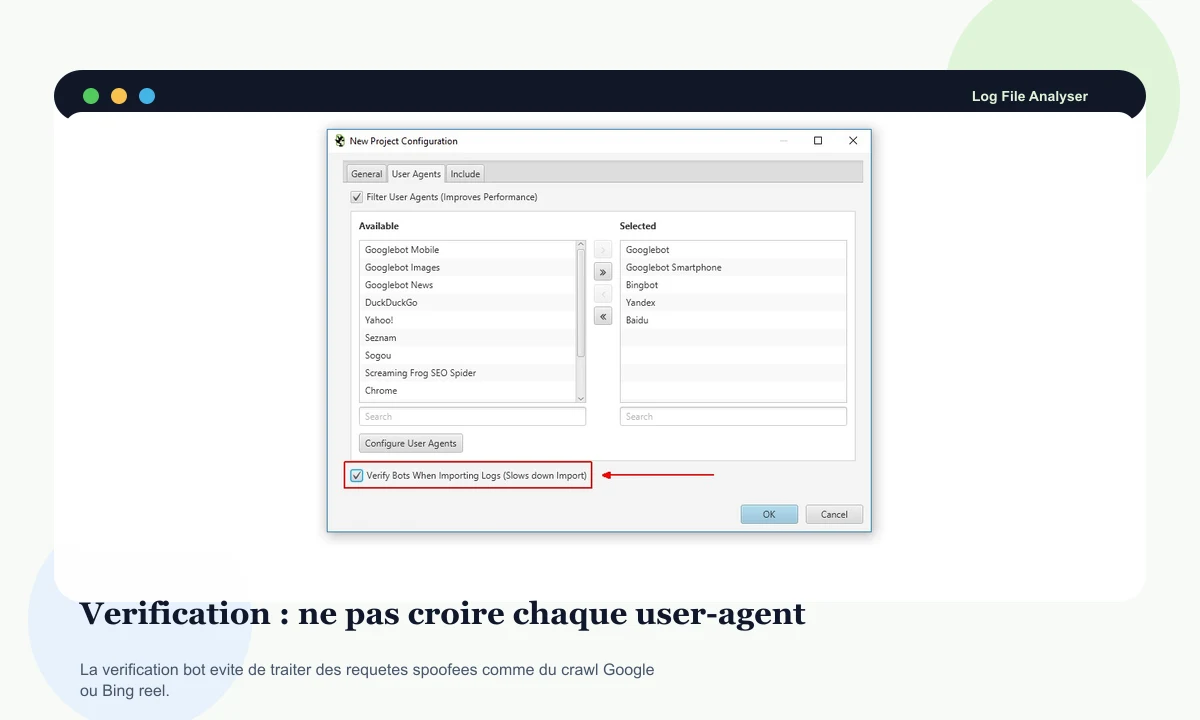
Before drawing a conclusion, check that the observed bot is legitimate and not a disguised request.
When should you use it first?
Log File Analyser becomes most useful when a decision depends on real bot behaviour. The point is not only to find errors, but to understand what is visited, ignored, wasted, or slowed down.
After a migration, logs show whether bots still request old URLs, follow redirects, and discover new sections.
- Track old paths still requested by bots.
- Spot redirects that appear too often or behave inconsistently.
- Compare strategic pages with their last bot visit.
On larger sites, analysis shows whether bots spend time in the right folders or waste visits in lower-value areas.
- List the most and least crawled sections.
- Spot parameters, archives, or weak pages consuming visits.
- Prioritize fixes that make crawling more useful.
A crawler can find an error. Logs show whether bots meet it too, how often, and across which periods.
- Rank 4XX, 5XX, and redirects by event volume.
- Identify unstable responses on the same URL.
- Connect error spikes to a date, release, or section.
By matching crawls, sitemaps, and logs, you can see known pages that are never visited and URLs found in logs but missing from the crawl.
- Import URLs from SEO Spider or a sitemap.
- Compare Not In Log File and Not In URL Data views.
- Decide whether to strengthen, fix, redirect, or remove a URL.
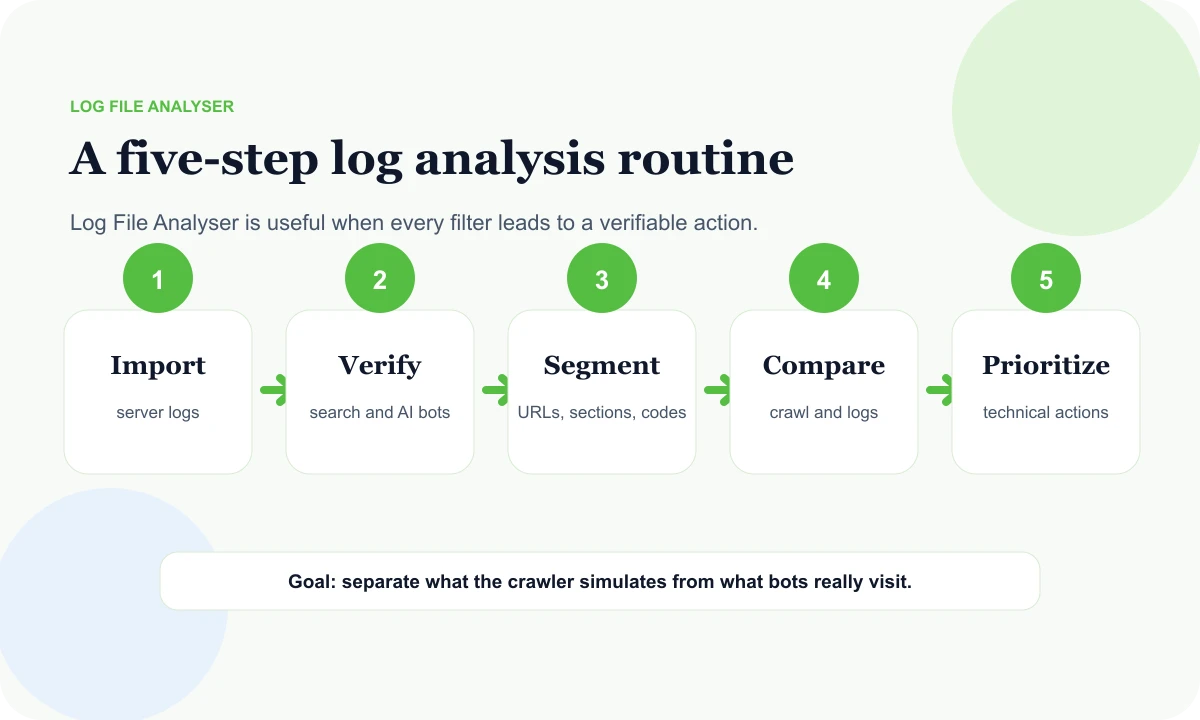
A log routine in five decisions
Logs can become noisy very quickly. A simple routine keeps the work readable: import, verify, segment, compare, and prioritize.
Import
Gather the right server logs for the right period, with user-agent, date, URL, status, size, and response time when available.
Verify
Check search bots, AI bots, and custom agents so the analysis does not rely on spoofed traffic.
Segment
Break the data down by bot, folder, status, period, size, response time, and URL type to see the areas that matter.
Compare
Import a crawl, sitemap, or URL list, then match known pages with events that were actually observed.
Prioritize
Turn gaps into actions: fix, redirect, noindex, improve structure, or monitor a section.
Where it fits with SEO Spider and SEO suites
Log File Analyser does not start from the same place as a visibility suite. It starts from server logs, so from activity actually observed by the server.
SEO Spider simulates a crawl and inspects URLs, tags, directives, JavaScript, sitemaps, and structured data.
Log File Analyser completes the diagnosis by showing what bots actually requested, when, how often, and with which server responses.
DinoRANK connects visibility, content, cannibalization, and more editorial priorities.
Log File Analyser is the right layer when the question is about bot visits, real crawling, and errors observed in logs.
SEOZoom keeps a suite view around content, competitors, analysis, and reports.
Log File Analyser adds server-side proof for technical issues that are not always visible inside a general suite.
Semrush helps frame markets, competitors, opportunities, and general audits.
Logs then help verify whether important pages are receiving bot attention and whether errors are really encountered.
Which Rankerfox plan includes Screaming Frog Log File Analyser?
The trial helps discover Rankerfox and verify the environment. For advanced log analysis, the plan to remember is Premium.
Standard already covers several daily SEO uses, but Screaming Frog Log File Analyser is presented here as a Premium tool.
Screaming Frog Log File Analyser belongs to the Premium plan at 14.99€/month for log audits, bots, migrations, and advanced technical diagnostics.
Continue with nearby pages
Crawl the site, read status codes, tags, directives, sitemaps, JavaScript, and technical priorities.
Connect analysis, content, cannibalization, tracking, and correction priorities.
Keep a suite view around visibility, content, and reporting.
Compare the SEO accesses included in Rankerfox by use case.
Common questions about Screaming Frog Log File Analyser
Useful points before adding log analysis to a Premium technical SEO routine.
Add server logs to your SEO diagnosis
Compare Rankerfox plans, then use Log File Analyser with SEO Spider to move from a simulated crawl to a fuller view of real bot behaviour.
Compare plans