
vidIQ with Rankerfox
Use vidIQ to plan YouTube topics with more data: keyword research, trends, competitor signals, SEO scorecards, video ideas, and performance cues before publishing.
Research
volume, competition, trend, and overall score
Monitoring
keywords, categories, competitors, and views per hour
Optimization
video reading, scorecard, and improvement cues
Why vidIQ opens a real video SEO block
After the Amazon and marketplace block, vidIQ adds another growth layer: YouTube. The point is not to promise viral videos, but to choose topics better, read demand, monitor competitors, and prepare titles, descriptions, and angles that match real search behavior.
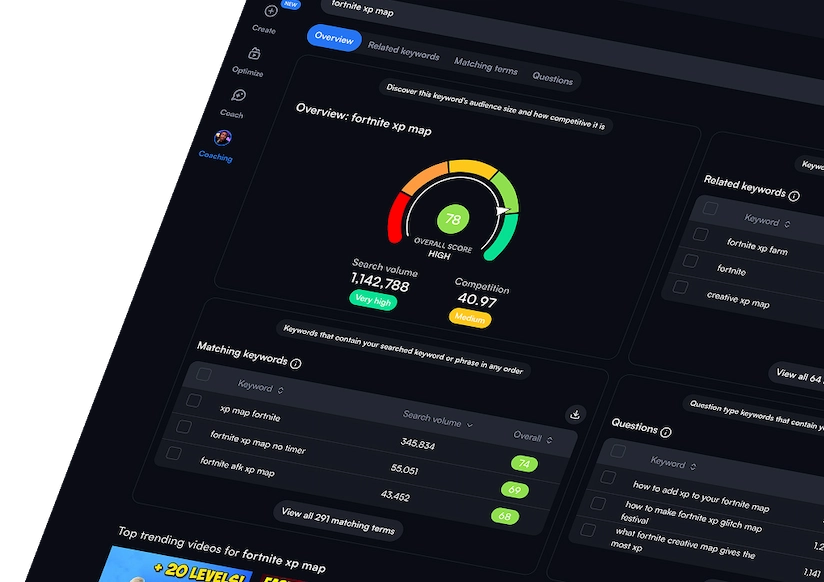
vidIQ highlights YouTube data such as search volume, competition, trend direction, and an overall score to compare topics.
The extension adds context while browsing YouTube: related queries, scores, trends, and opportunities worth deeper review.
Alerts can track keywords, categories, or competitors, with views-per-hour thresholds to spot content gaining speed.
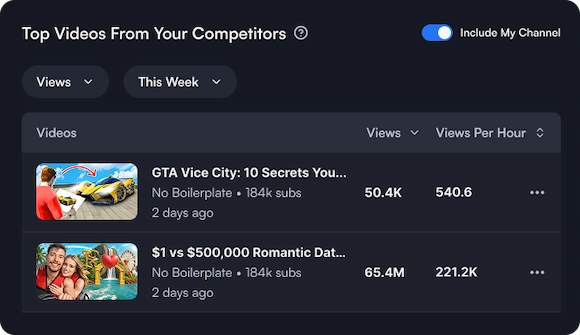
Comparing views, subscribers, videos, growth, top content, and views per hour helps explain what works in a niche.
Daily Ideas, AI Coach, and title or description generators can provide a base to rewrite with your tone and strategy.
SEO scores, recommendations, and audits provide a useful checklist before publishing or refreshing an existing video.
From video idea to prioritized topic
vidIQ's public visuals show a concrete research flow: find queries, read competition, watch trends, and observe what nearby channels are doing.

Comparing queries before writing a script helps avoid relying only on instinct or a topic that is already saturated.
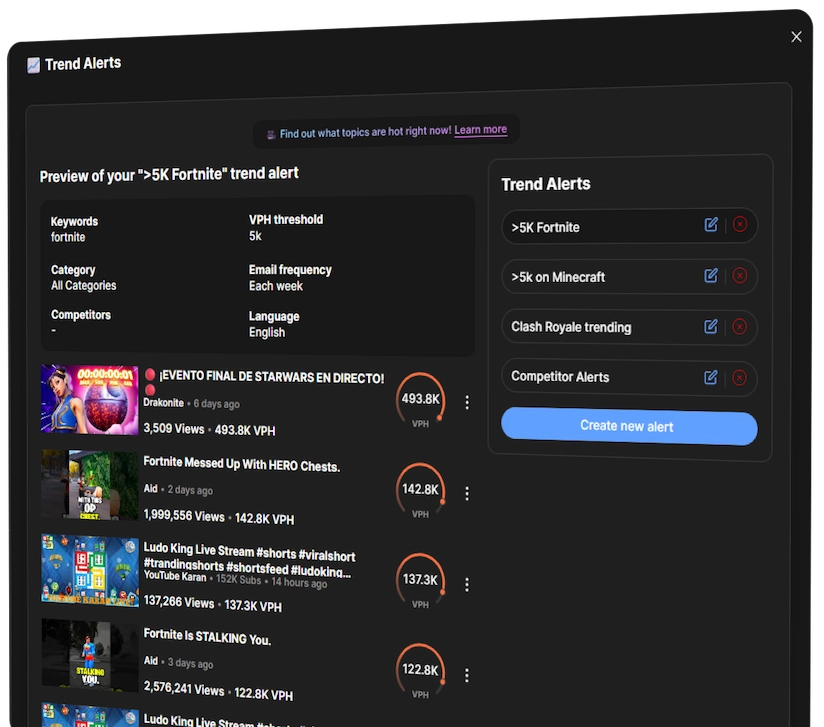
Alerts help detect acceleration: a moving keyword, a strong competitor upload, or a topic gaining views per hour.
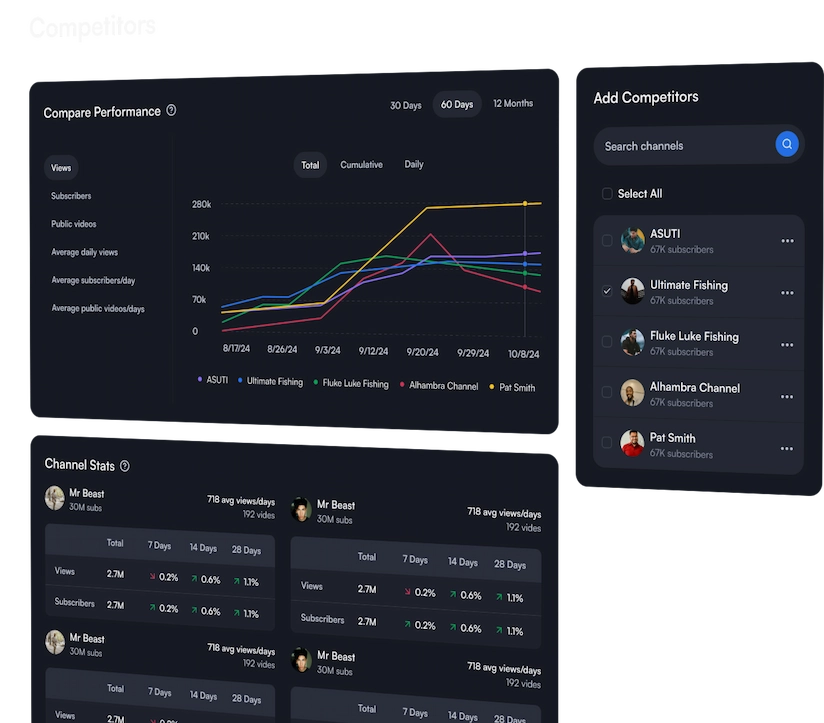
Comparing nearby channels reveals formats that are growing, publishing patterns, and topics that actually attract attention.
Where vidIQ becomes genuinely useful
Compare demand, competition, and trend before spending time on recording, editing, or scripting.
Identify related queries, frequent questions, and wording viewers already use.
Track the strongest videos in a niche, their traction speed, and the channels gaining attention.
Review title, description, tags, and scorecard to fix missing elements before publishing.
Spot decline, rework metadata, adjust packaging, and connect the video to queries that are moving.
Turn a validated YouTube topic into an article, resource page, social excerpt, or campaign support.
A simple method for using vidIQ
The best use is to treat vidIQ as a video editorial decision tool. Scores help sort ideas, but the final topic still needs to fit the channel, audience, and actual promise of the video.
Start with a precise idea
Pick a niche, question, or viewer problem. A vague keyword often produces attractive scores but weak decisions.
Compare queries
Review volume, competition, trend, and related keywords to isolate a topic worth scripting.
Read competitors
Observe fast-growing videos, repeated formats, title promises, and angles recurring in the niche.
Prepare packaging
Work on title, description, tags, thumbnail, and opening seconds so the video clearly promises what it delivers.
Measure after publishing
Follow traction, spot refresh opportunities, and feed the next idea with what the audience actually watched.
How to read vidIQ signals
vidIQ becomes more useful when metrics lead to clear editorial action instead of becoming a pile of scores.
vidIQ's role next to the other Premium tools
vidIQ adds the YouTube layer. It can connect to ecommerce, creative, and SEO tools, but it does not serve the same moment of the routine.
YouTube research, keywords, trends, competitors, SEO score, and video ideas.
Ad monitoring and social angles, useful for understanding hooks before adapting them into video.
Video production: templates, motion assets, transitions, and creative support to move from idea to edit.
Visual resources for thumbnails, support material, illustrations, and publishing assets.
Complementary web SEO reading when a YouTube topic deserves an article or resource page too.
Which Rankerfox access includes vidIQ?
vidIQ is presented as a Rankerfox Premium plan tool. It opens the video block with YouTube research, trends, competitors, and publishing optimization.
The use case is more specialized than daily SEO basics: it supports YouTube channels, video content, niche monitoring, and advanced publishing routines.
vidIQ with Rankerfox FAQ
Useful points before adding vidIQ to your Premium routine.
Add vidIQ to your YouTube routine
Compare Rankerfox plans and use vidIQ with the other Premium tools to frame video topics with more data.