
Niche Scraper with Rankerfox
Use Niche Scraper in the Rankerfox Premium plan to find dropshipping products, compare AliExpress niches, analyze Shopify stores, read TikTok and Facebook ads, and prepare a more concrete testing shortlist.
Research
Product Scraper
AliExpress, Shopify, AliScore, growth, and orders
Market
Top Niches
niches, sales, estimated revenue, and visible trends
Creatives
Ad Spy + video
TikTok/Facebook ads and product video preparation
Niche Scraper strengthens the winning-products cluster
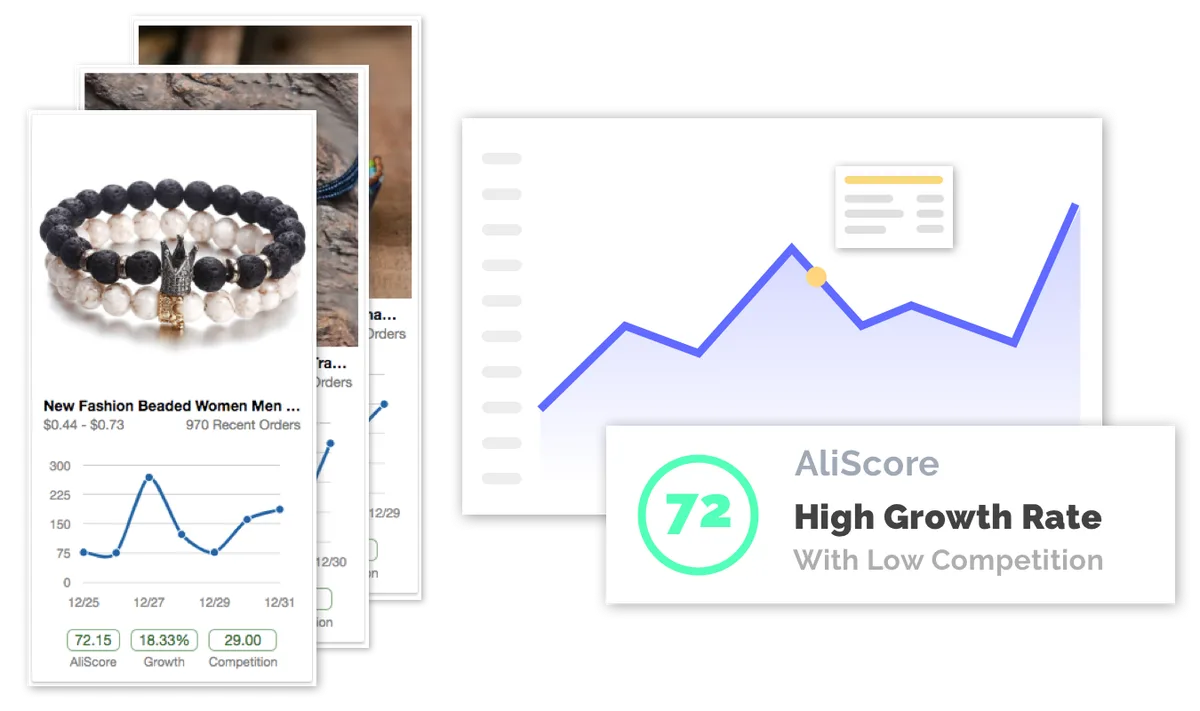
After Minea, PiPiADS, and Sell The Trend, Niche Scraper adds a product-research view focused on AliExpress niches, Shopify stores, and ad examples. It helps move from an attractive signal to a shorter list of products worth comparing before a test.
Filter AliExpress or Shopify products by score, category, orders, price, growth, and competition to reduce noise quickly.
Review selected products with sales angle, supplier, margin, ad example, and elements to check before store execution.
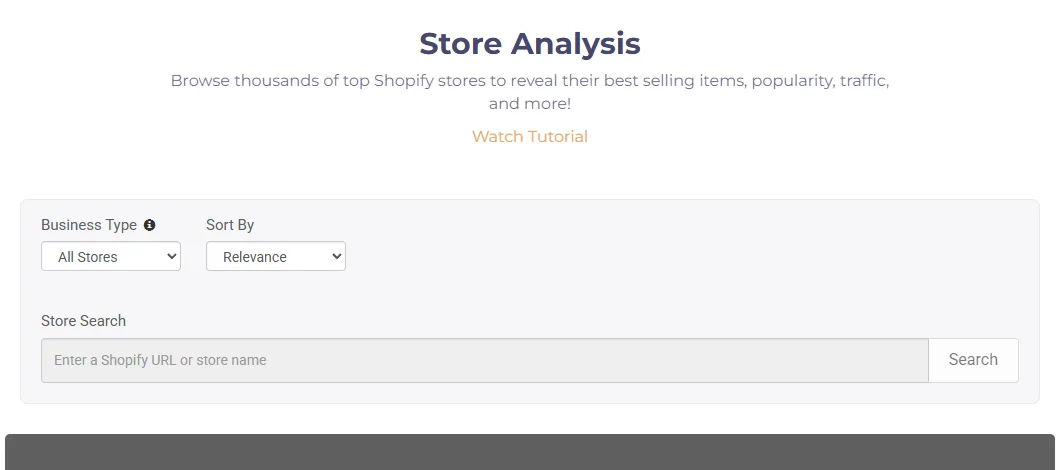
Review Shopify stores, their best-selling products, estimated traffic, and the signals surrounding an offer.
Spot active product families through AliExpress sales by week or year, then move down to specific products.
Search TikTok and Facebook ads by keyword, type, engagement, or Shopify presence to understand formats already tested.
Prepare a simple product video from images and text, useful when turning an idea into a first testable creative.
What Niche Scraper shows in practice
Niche Scraper public previews are highly visual: product filters, Shopify stores, ranked niches, hand-picked examples, social ads, and a video generator. The images make it easier to see where each signal fits in the decision.
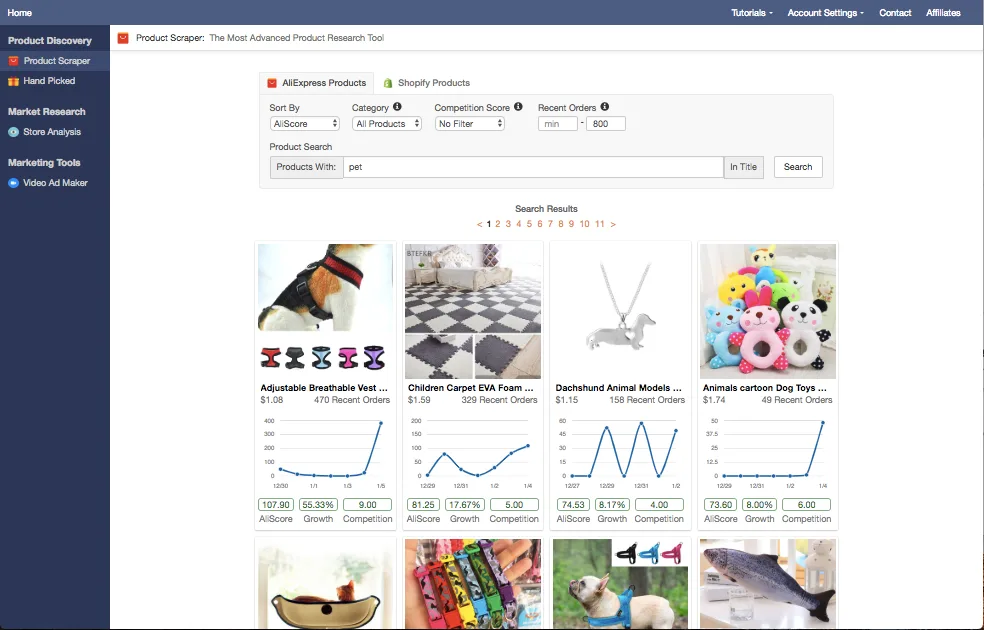
Filters help you start from a category or keyword, then sort products by score, growth, orders, and competition.
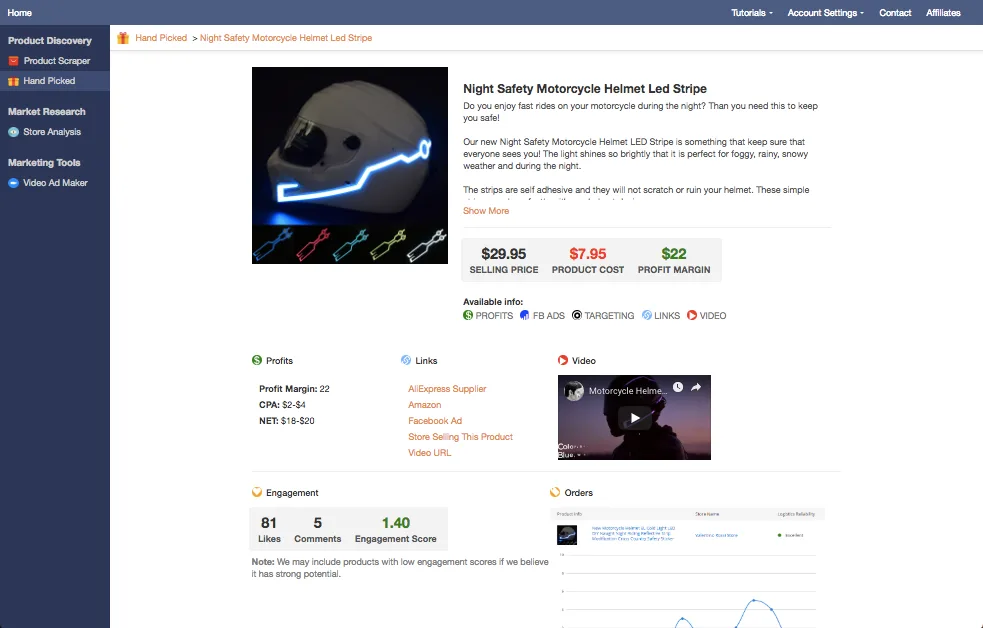
Selected product pages give a more editorial read: selling price, product cost, margin, ad, supplier, and engagement.
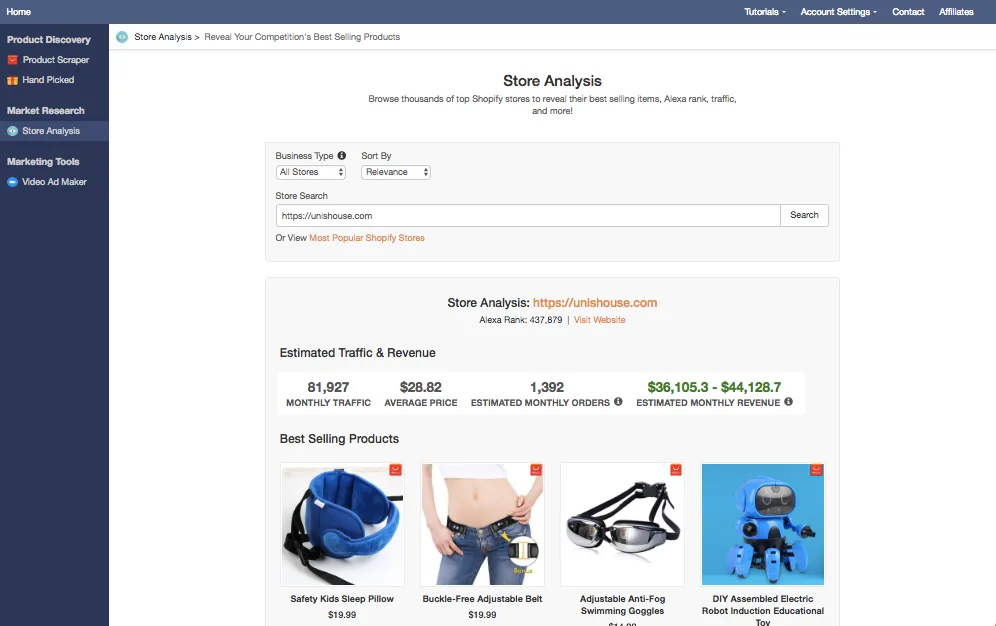
Store analysis gives commercial context: traffic, average price, estimated orders, revenue, and repeated products.
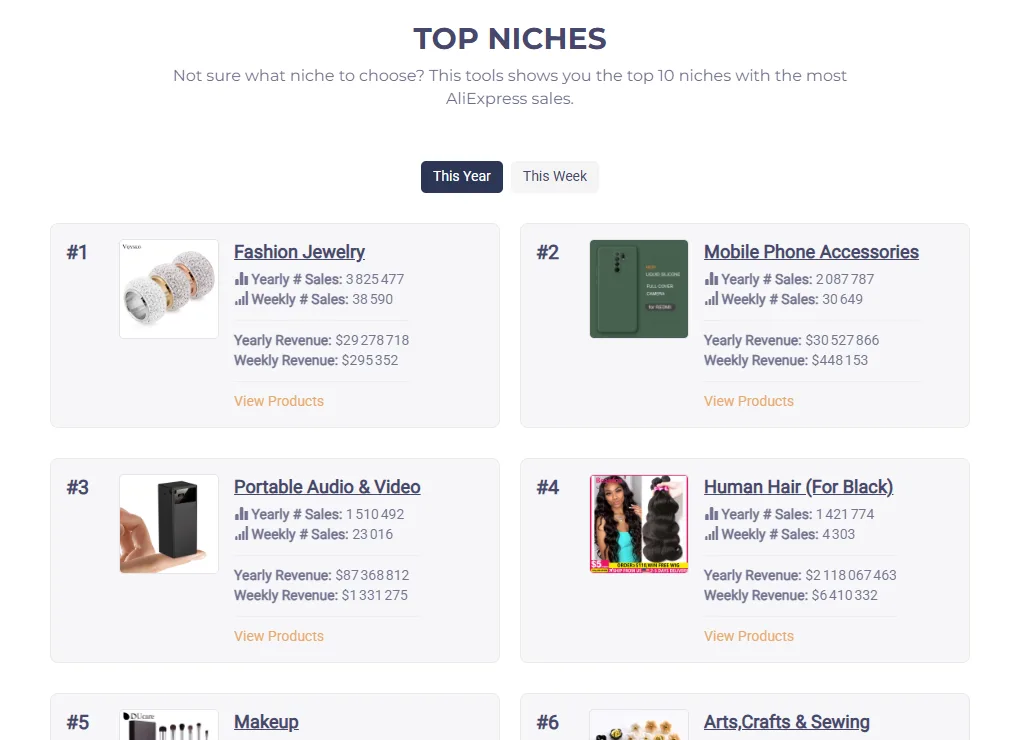
Top Niches helps spot active product families before reviewing individual products one by one.
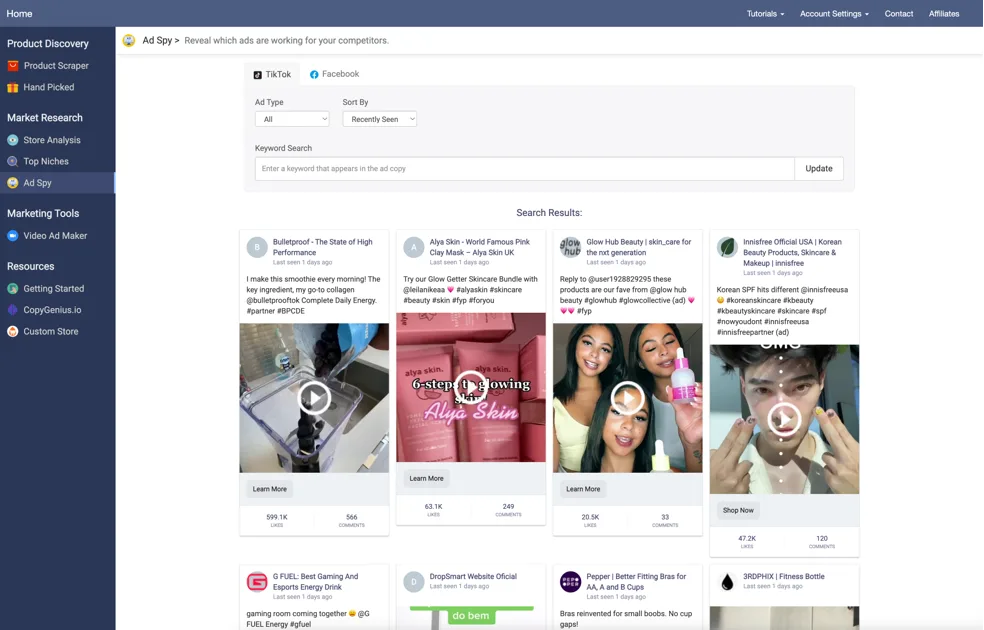
Ads help explain the market's visual language: demonstration, proof, short promise, offer, and recurring formats.
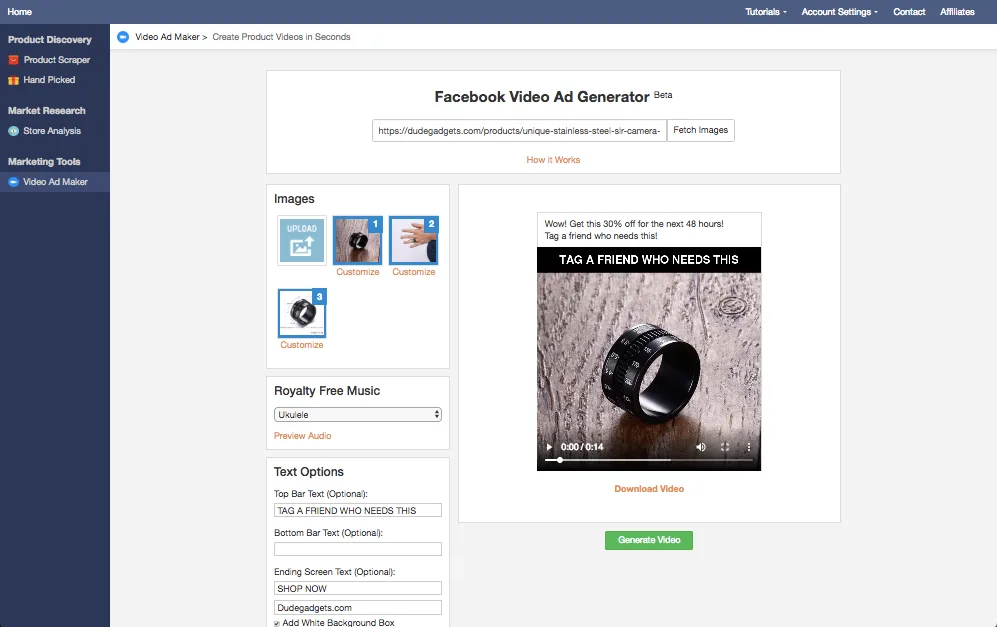
The video generator creates a first bridge between product research and creative testing, instead of leaving the page as a product list.
Turn a product signal into a cleaner decision
Niche Scraper becomes useful when each view answers a precise question. The goal is not to stack promising products, but to understand which ones deserve deeper checking.
Does the product already show visible demand?
Recent orders, growth, niche sales, and active ads give an initial traction read.
Does the margin look testable?
Supplier price, observed selling price, shipping, returns, and likely ad cost need to fit together.
Is the advertising angle easy to understand?
A strong product idea should be explainable through a video or product page: clear problem, demonstration, benefit, and proof.
Does the store or niche have real context?
Store Analysis and Top Niches help review the environment around the product, not only one isolated listing.
Where Niche Scraper becomes useful
The Niche Scraper page fits naturally into an ecommerce monitoring, dropshipping, and paid testing routine.
Start from a category, filter products, and keep only ideas that show several coherent signals.
Use Top Niches to see where sales, revenue, and activity concentrate before moving down to products.
Review repeated products, estimated traffic, average price, and the offer structure of an active store.
Review TikTok/Facebook ads and turn the best clues into promise, opening scene, and visual proof.
Compare margin, sourcing, demand, competition, and creative quality before sending budget to a product page.
A product attracting attention can also feed a category page, a guide, a comparison, or a social campaign.
A simple method for working with Niche Scraper
The right routine moves from discovery to validation, then to test preparation. Each step should remove noise.
Search wide
Start with Product Scraper, a category, a keyword, or a niche to build a first pool of ideas.
Filter short
Remove weak ideas based on margin, orders, competition, supplier quality, or unclear promise.
Cross-check views
Check whether the product appears in a store, an active niche, an ad, or a selected product page.
Prepare the test
Turn observations into a product page, video angle, visual proof, and minimal launch conditions.
Niche Scraper signals to read together
One score is not enough. The value comes from combining demand, growth, niche, store, creative, and likely margin.
AliScore
A useful shortcut for spotting products that combine traction, potential, and competition.
Compare it with orders, price, growth, and creative saturation.
Recent orders
They indicate a product is not only historical, but still showing visible activity.
Check whether the activity appears across several related products or only one isolated case.
Top Niches
Strong categories show where demand concentrates, but not yet which product to choose.
Move next to Product Scraper, Store Analysis, and related ads.
Store Analysis
A store gives context: offer, price, related products, commercial rhythm, and estimated traffic.
Identify what can be reproduced cleanly and what depends on an already established brand.
Ad Spy
Ads reveal how the market explains or demonstrates the product.
Note hooks, proof, objections, and formats without mechanically copying the creative.
Video Ad Maker
The generator helps create a first test asset, especially when the idea depends on demonstration.
Prepare several simple angles instead of one video expected to solve everything.
Niche Scraper inside the Rankerfox ecommerce cluster
Minea, PiPiADS, Sell The Trend, and Niche Scraper do not read the market in exactly the same way. Their combination is what makes the cluster useful.
Broad monitoring across ads, stores, products, platforms, and ecommerce signals.
Use it to spot market movements before isolating a product idea.
A more creative read of TikTok/Meta ads, hooks, short formats, and active advertisers.
Use it when the video or social angle becomes central to the test.
Product research, NEXUS, Store Intelligence, suppliers, import, and store preparation.
Use it to connect the product to a more complete dropshipping workflow.
Product Scraper, Top Niches, Store Analysis, Ad Spy, and Video Ad Maker around one product decision.
Use it to qualify a shortlist quickly and prepare first creatives.
Which Rankerfox plan includes Niche Scraper?
Niche Scraper is presented in the Rankerfox Premium plan at €14.99/month, alongside other advanced ecommerce tools such as Minea, PiPiADS, Sell The Trend, SellerAmp, Jungle Scout, and AMZScout.
The tool mainly fits ecommerce, dropshipping, paid media, Shopify stores, and teams that regularly research product angles.
Continue through the ecommerce cluster
Niche Scraper frequently asked questions
Useful answers before adding Niche Scraper to a Premium routine.
Add Niche Scraper to your product routine
Use it to move faster from an attractive idea to a verifiable shortlist, then compare Rankerfox plans before launching tests.