
Screaming Frog SEO Spider with Rankerfox
Use Screaming Frog SEO Spider in the Rankerfox Premium plan to crawl a site, isolate technical errors, read HTTP status codes, review tags, canonicals, hreflang, sitemaps, JavaScript, and structured data.
Plan
Screaming Frog SEO Spider is mapped to the Rankerfox Premium plan for technical audits, migrations, tag checks, and detailed crawls.
Strong use
Site crawling, HTTP status codes, redirects, titles, descriptions, directives, canonicals, hreflang, JavaScript, PageSpeed, and structured data.
Public signal
The vendor presents the tool as able to identify more than 300 SEO issues, warnings, and opportunities.
The crawler that turns a site into a readable diagnosis
Screaming Frog is useful when a team needs to see what a site really returns: which pages respond, which tags are missing, which URLs redirect, which sections are deep, and which elements block indexing. In Rankerfox, its role is to turn a technical doubt into a clear correction list.
Run a crawl from a domain, folder, or URL list to build a technical dataset that can actually be used.
Spot 4XX pages, 5XX pages, redirects, chains, loops, blocked resources, and responses that deserve a fix.
Analyze titles, descriptions, H1s, H2s, canonicals, robot directives, hreflang, and structured data page by page.
Understand site link structure, crawl levels, and sections that require too many clicks before they are found.
Bring together crawl data, PageSpeed, Search Console, Analytics, and performance indicators when integrations are configured.
Turn filters and reports into URL lists ready for developers, editors, or SEO leads.
Screaming Frog views to use in a technical audit
The vendor's public screenshots show several complementary views. The useful routine starts from a clear scope, then filters what helps fix the site.
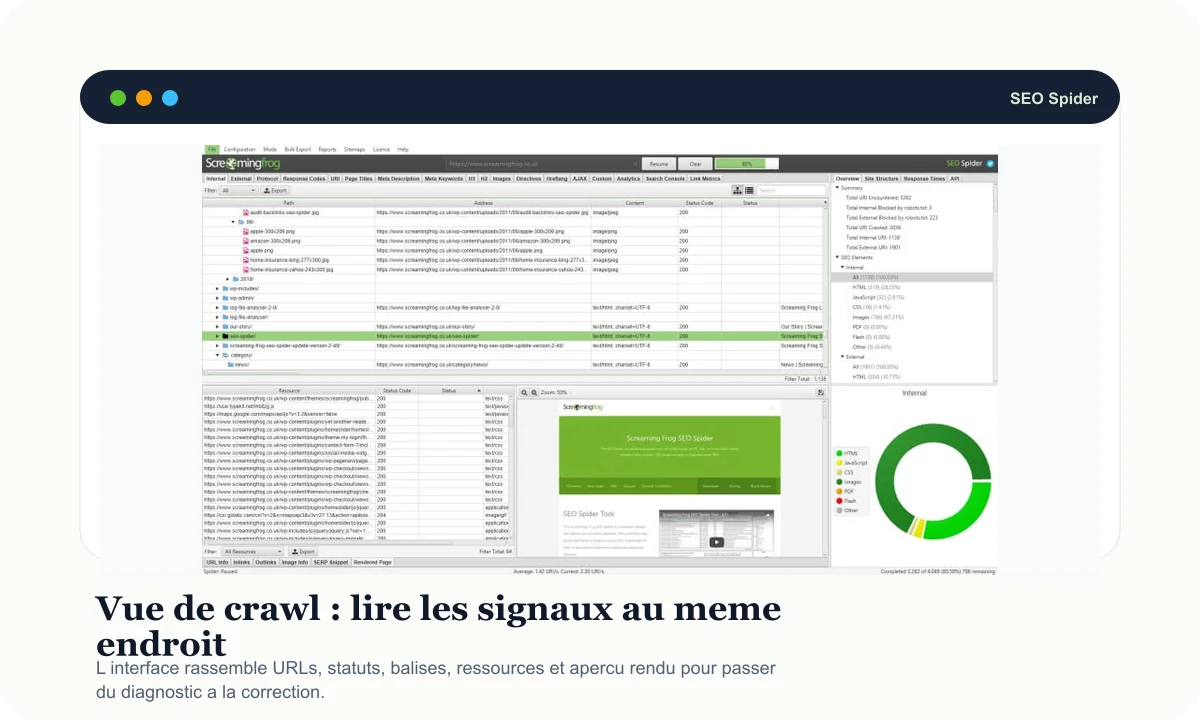
The central table lets teams review URLs, status codes, tags, resources, and details without switching tools for every question.
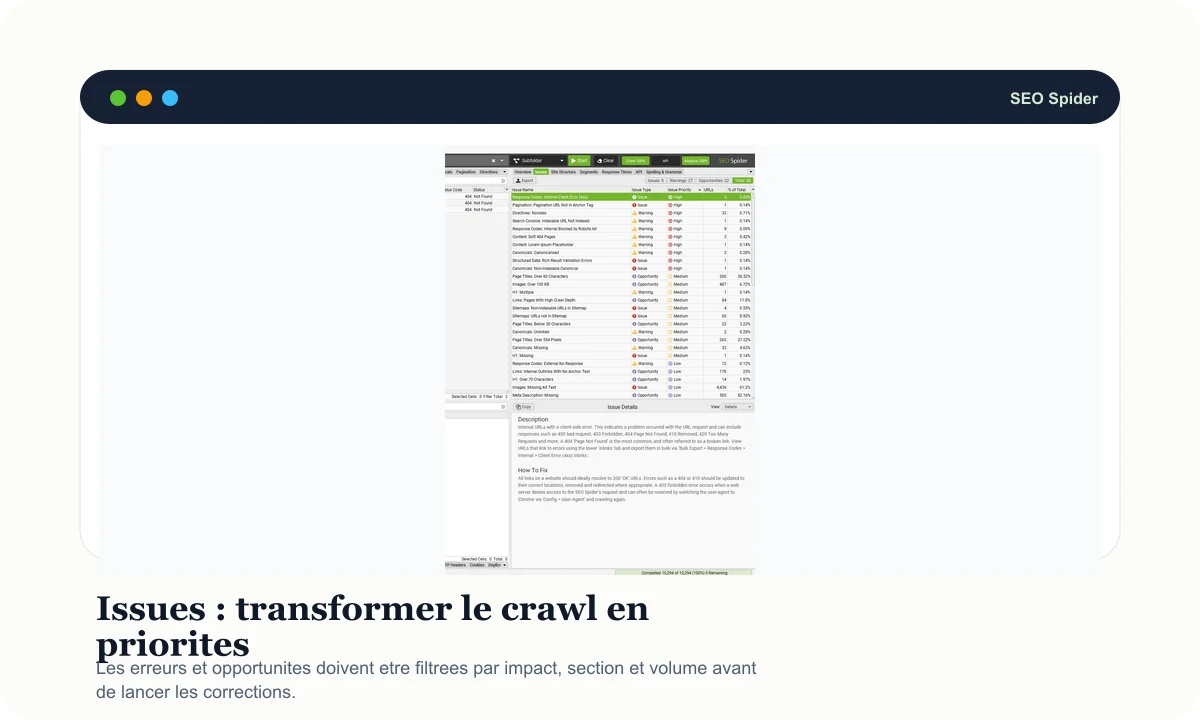
Issue reports are most useful when sorted by impact, site section, and correction effort.
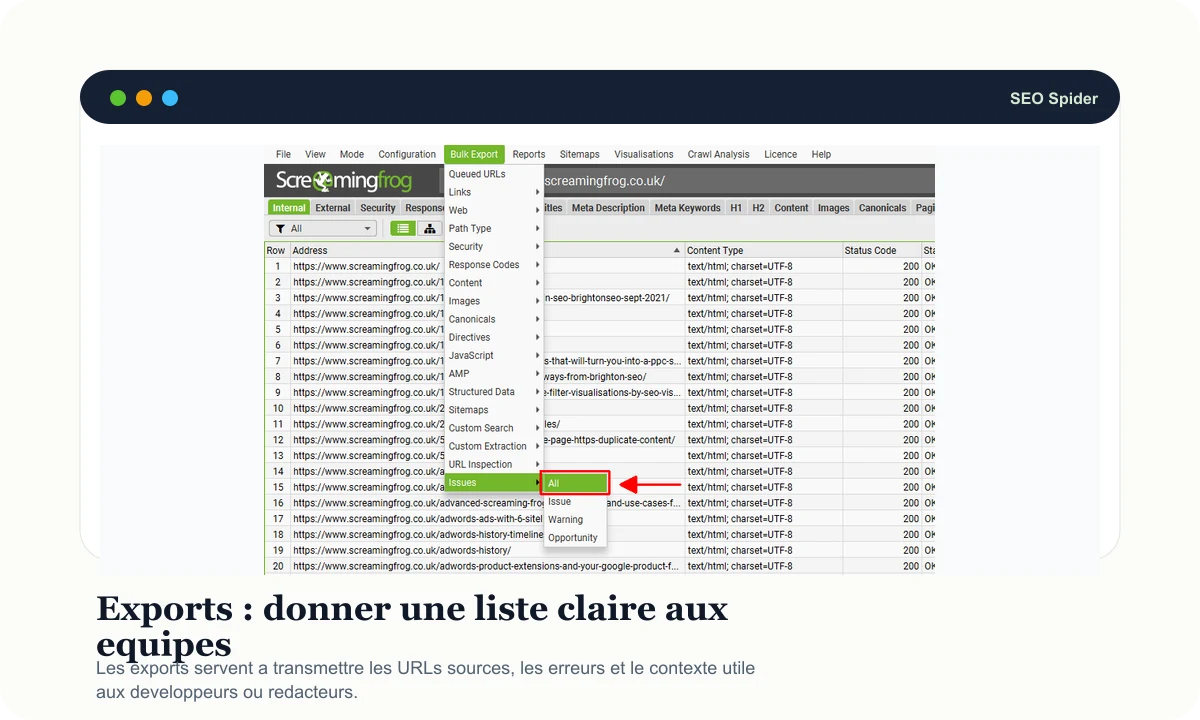
Exports provide source URLs, affected pages, and enough context to hand the fix to the right person.
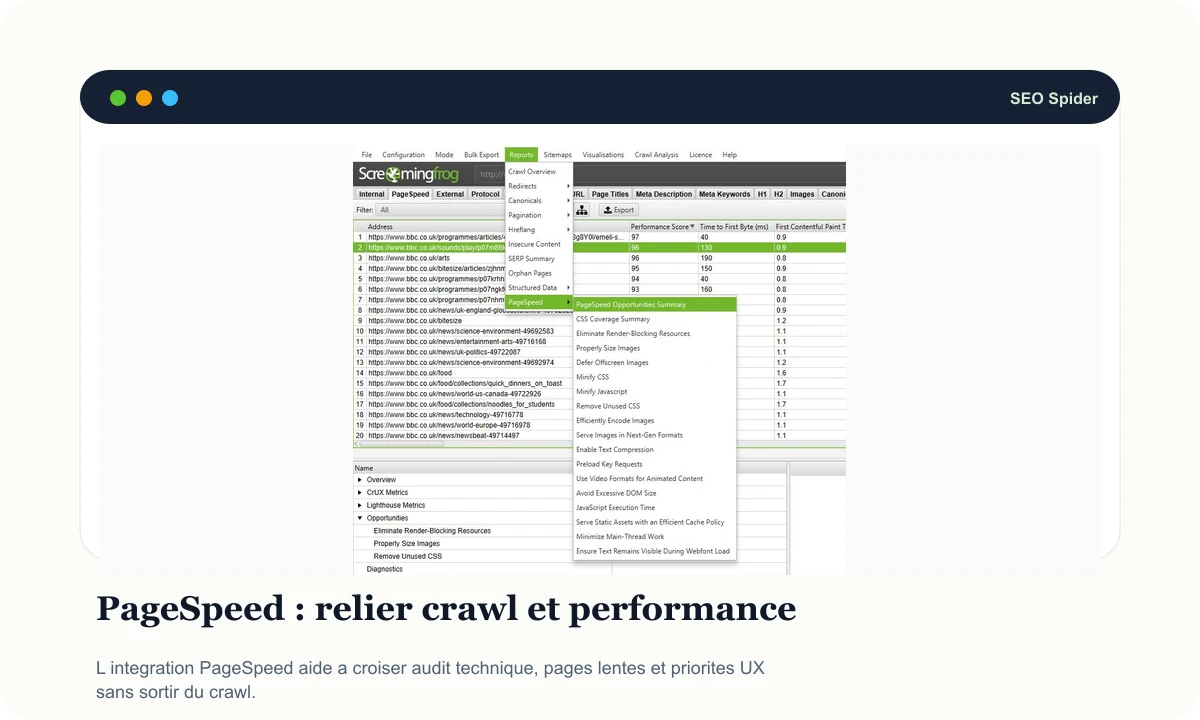
Performance data becomes more useful when connected to crawled pages and the page types behind them.
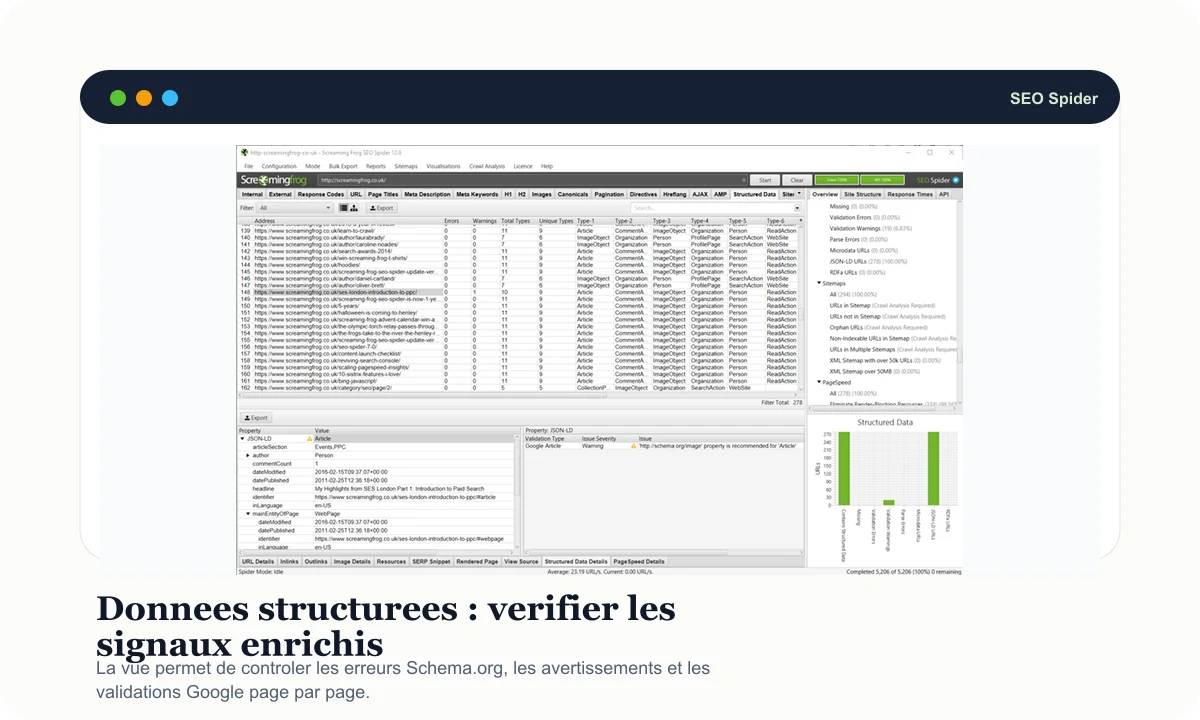
Schema.org errors, warnings, and Google validation can be reviewed page by page instead of fixed blindly.
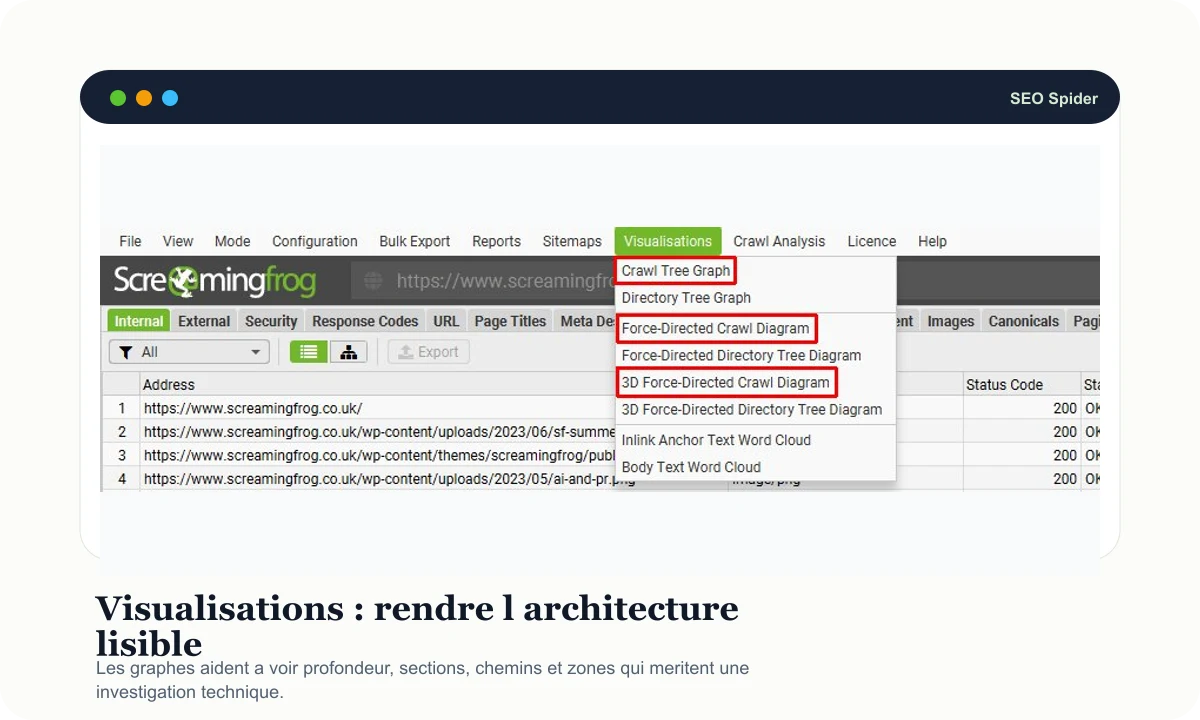
Graphs do not replace tables, but they help explain excessive depth, isolated sections, and hard-to-read site structure.
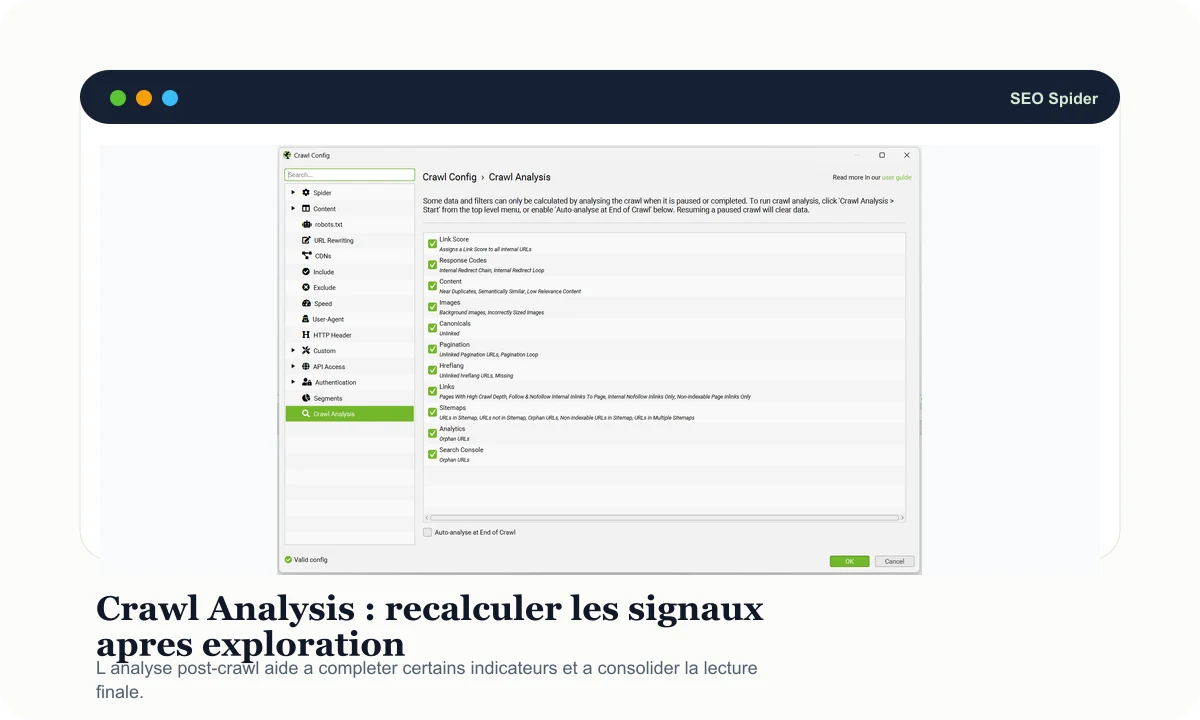
Post-crawl analysis helps recalculate selected signals and stabilize the final reading before sharing conclusions.
When should you use it first?
Screaming Frog becomes genuinely useful when a technical question exists before the crawl. Define the scope, run the crawl, then filter the signals that answer that question.
Before a redesign, SEO recovery, or correction sprint, the crawler gives a fast technical snapshot of the site.
- Spot response errors and risky redirects.
- List missing, duplicated, or oversized tags.
- Identify inconsistent robot directives, canonicals, and hreflang.
After a migration, it helps compare what should exist with what actually responds.
- Test a list of old URLs and check redirects.
- Compare staging and production when the scope is ready.
- Review sitemaps, non-indexable pages, and sensitive sections.
JavaScript rendering helps verify what the crawler sees after execution, especially on modern sites.
- Compare raw HTML and rendered HTML.
- Check that links, titles, content, and key elements remain accessible.
- Spot blocked resources that change how the page is understood.
The value is not only the crawl, but the summary that turns filters into ordered fixes.
- Group errors by page type or folder.
- Separate critical fixes, useful improvements, and signals to monitor.
- Export short lists with source, target, and context.
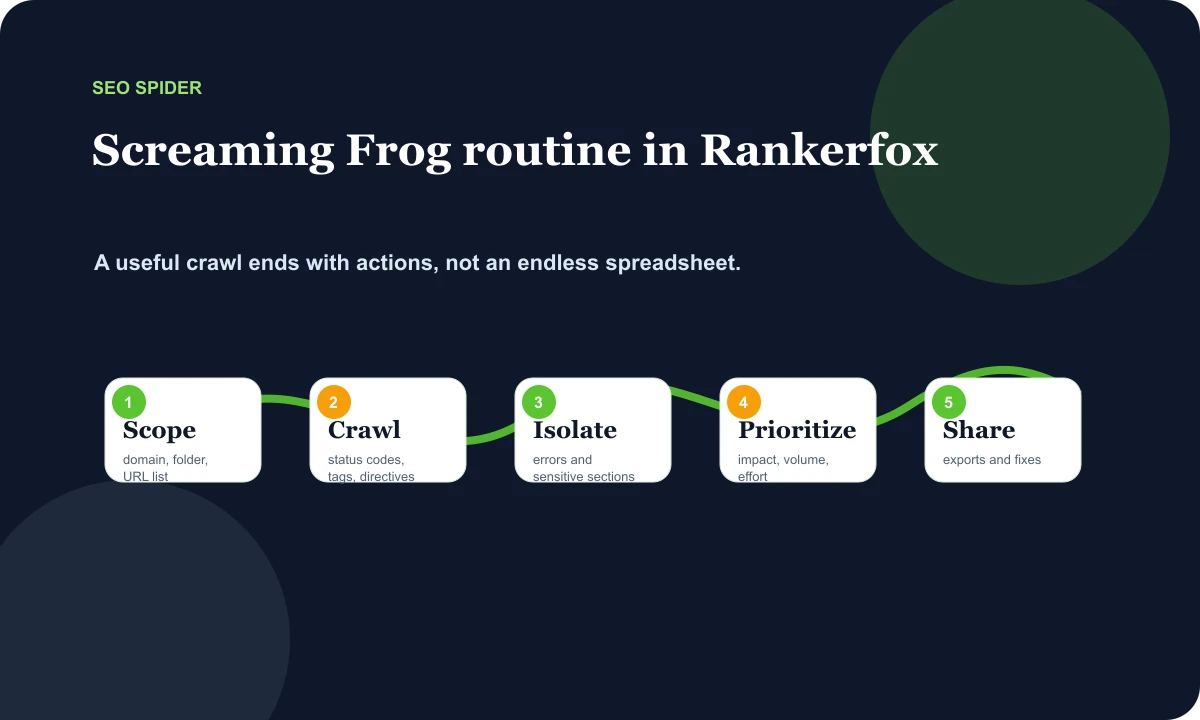
A Screaming Frog routine in five decisions
A complete crawl can create a lot of noise. To stay useful, keep a simple routine: scope, crawl, isolate, prioritize, and share.
Scope
Define the domain, folder, URL list, or migration context to analyze.
Crawl
Run the crawl with the right settings: user-agent, JavaScript, sitemaps, limits, exclusions, and useful integrations.
Isolate
Filter errors, non-indexable pages, redirects, tags, directives, resources, and risky sections.
Prioritize
Rank fixes by potential impact, URL volume, technical effort, and team dependencies.
Share
Export a short, readable, verifiable list so each fix has an owner and a context.
Where it fits with other Rankerfox SEO tools
Screaming Frog does not play the same role as a visibility suite. It gets much closer to code, server responses, and the real site structure.
DinoRANK connects content, rankings, visibility, and editorial priorities in a more accessible view.
Screaming Frog takes over when response codes, tags, directives, sitemaps, JavaScript, and detailed architecture need to be audited.
SEOZoom keeps a broader suite view around visibility, content, competitors, and reporting.
Screaming Frog is better suited to deep technical diagnosis and operational exports for teams.
Semrush helps frame market, competitors, queries, backlinks, and general audits.
Screaming Frog then verifies page by page what the site really returns to the crawler.
The SEO Spider starts from URLs it explores and the HTML, HTTP, and structural signals it collects.
The Log File Analyser will be more relevant for reading real bot visits inside server logs.
Which Rankerfox plan includes Screaming Frog SEO Spider?
The trial helps discover Rankerfox. For advanced technical use of Screaming Frog, the Premium plan is the reference.
Standard already covers several everyday tools, but Screaming Frog SEO Spider is presented here as a Premium tool.
Screaming Frog SEO Spider belongs to the Premium plan at 14.99€/month to support technical audits, migrations, and detailed crawls.
Continue with nearby pages
Connect audits, content, tracking, and SEO priorities in a more editorial routine.
Keep a suite view around visibility, content, and reports.
Connect query research, competitor views, audits, and batch checks.
Compare the SEO accesses included in Rankerfox by use case.
Common questions about Screaming Frog with Rankerfox
Useful points before adding the SEO Spider to a Premium technical routine.
Add Screaming Frog to a clearer technical routine
Compare Rankerfox plans, check which access fits your workload, then use Screaming Frog SEO Spider to turn crawls into concrete fixes.
Compare plans