

Jungle Scout with Rankerfox
Use Jungle Scout in the Rankerfox Premium plan to research Amazon products, find niches with demand, analyze keywords, track rankings, and decide which opportunities deserve a deeper marketplace review.
Research
demand, competition, seasonality, and opportunity score
Amazon SEO
volume, trend, difficulty, and related keywords
Decision
quick read, rankings, listing, and market signals
Why Jungle Scout complements SellerAmp
SellerAmp is mainly used to check a specific opportunity: margin, ROI, offers, risk, and buying price. Jungle Scout sits earlier in the Amazon workflow: it helps find niches, measure demand, compare keywords, and follow a market before a buying decision.
Opportunity Finder helps compare demand, competition, seasonality, average price, and niche score to spot clearer market spaces.
Product research helps filter categories, price, estimated sales, reviews, and competition signals before building a shortlist.
Keyword Scout helps read volume, trend, difficulty, related keywords, and conversion potential around a product idea.
Keyword tracking shows whether a product is moving up, down, or staying stable after listing optimization.
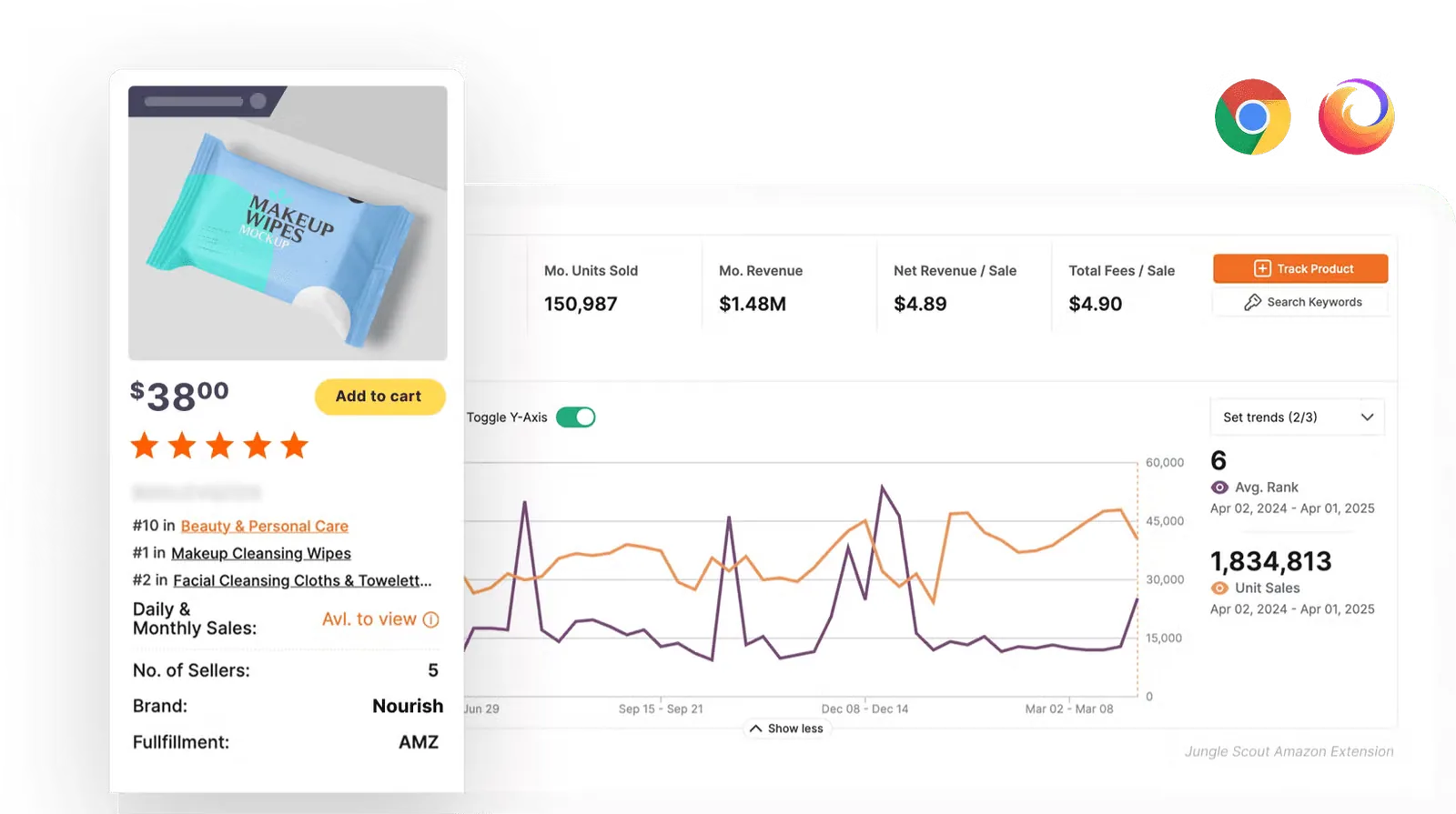
The extension gives a faster Amazon-page read: estimated sales, average revenue, price, reviews, competition, and opportunity score.
Once the niche is framed, the shortlist can be checked against margins, constraints, and competing offers in SellerAmp.
Readable Amazon signals, not just a list of ASINs
Jungle Scout becomes useful when it connects several views: niche, keywords, listing, competition, sales, and tracking. The goal is not to trust one score, but to cross-check signals before moving into profitability analysis.
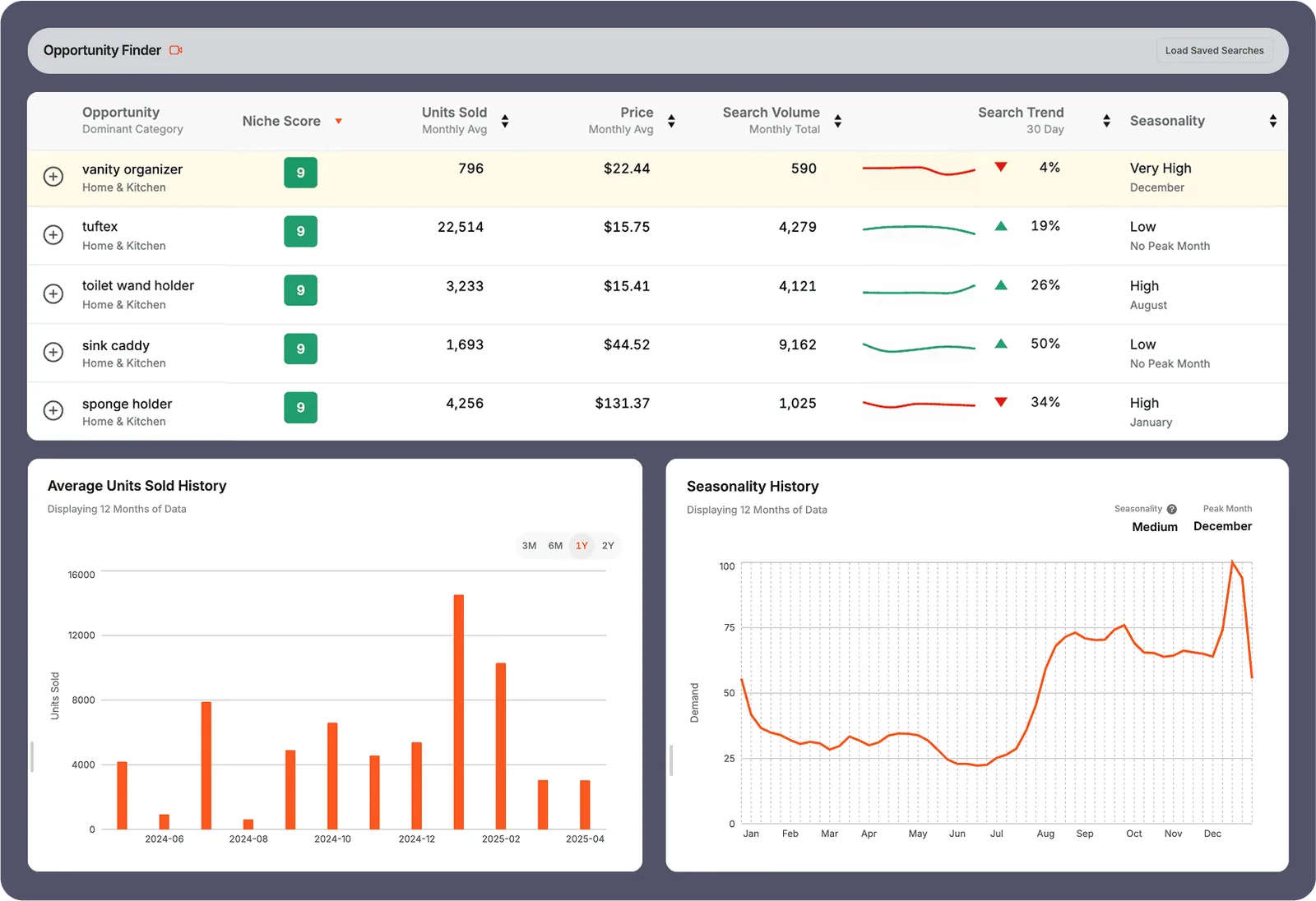
Compare several niche ideas with one grid: demand, units sold, average price, search volume, trend, and seasonality.
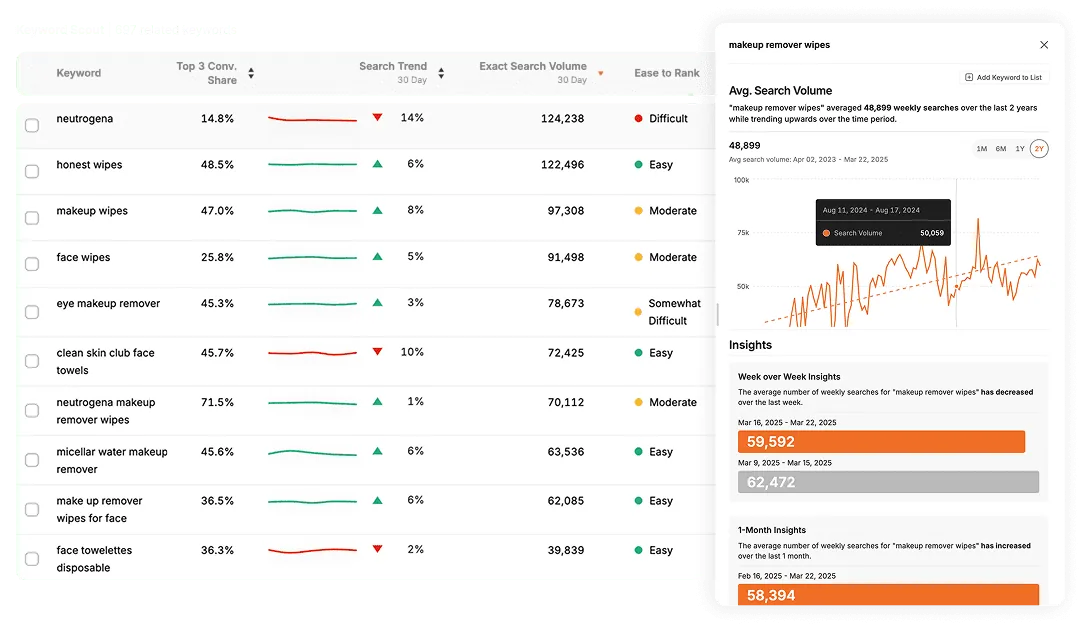
Read the market's language: related queries, exact volume, trend, difficulty, and useful terms for a listing or comparison page.
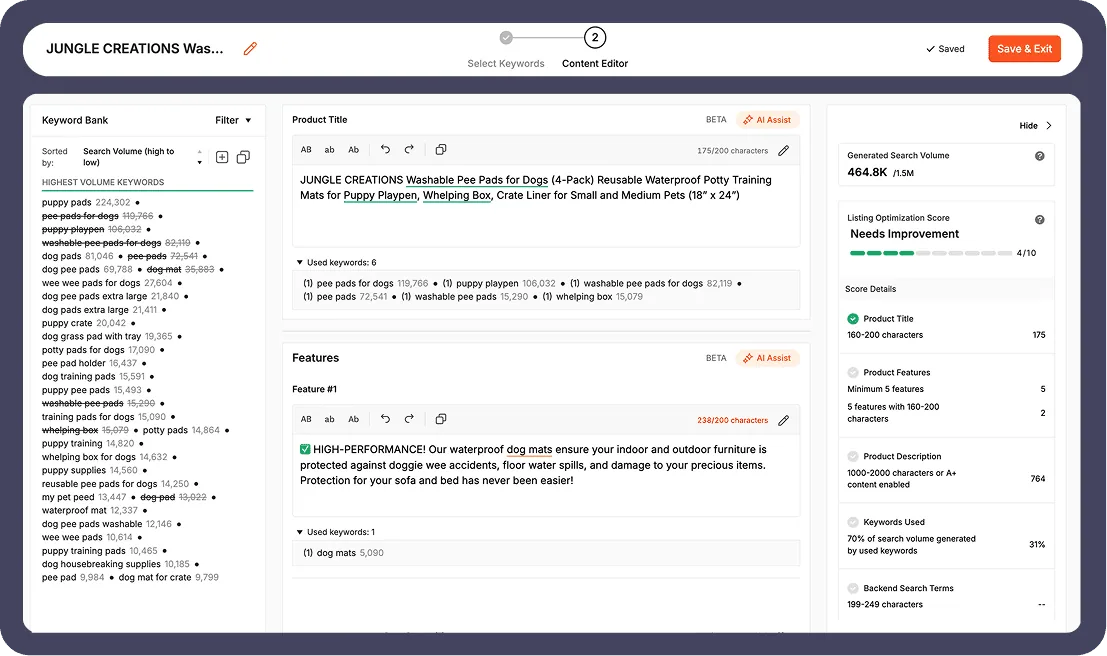
Turn research into a more structured product listing: keyword placement, listing sections, and consistency between search, title, and arguments.
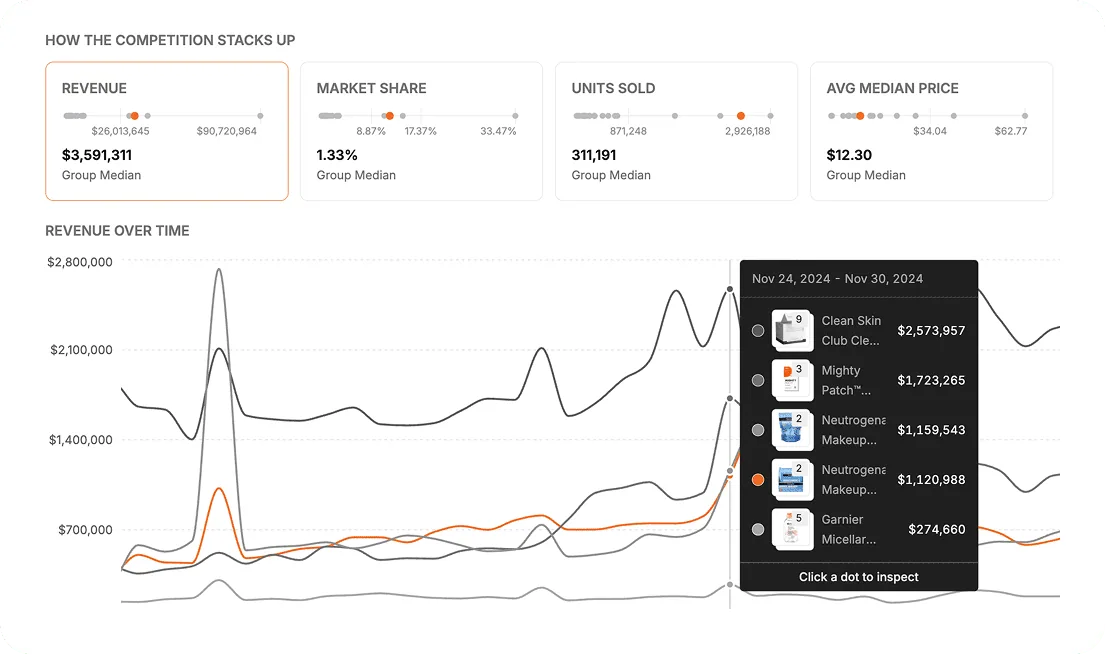
Look at existing sellers, estimated revenue, visible share, and gaps to close before entering a niche that may already be heavily defended.
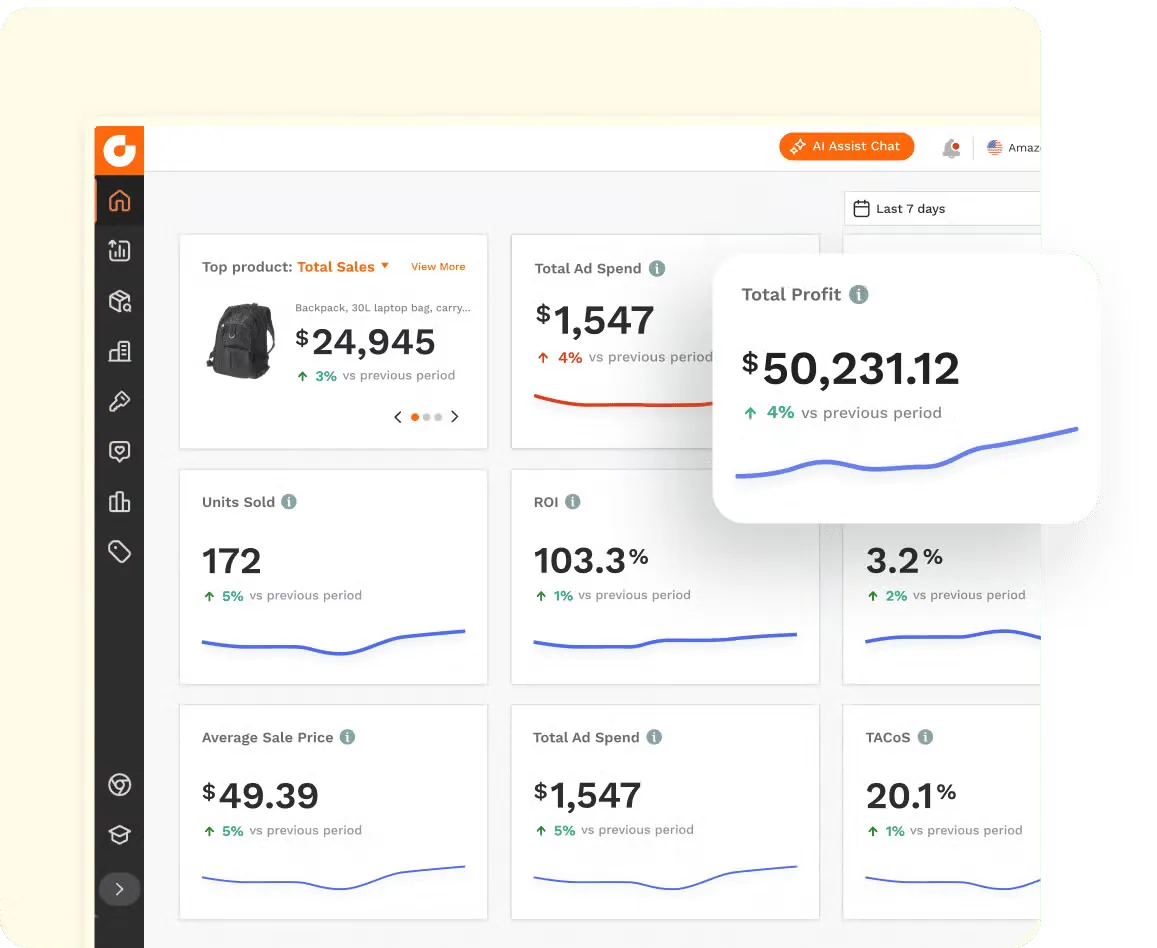
Connect research signals to an economic view: revenue, costs, profit, ROI, and margin, so the idea is not only attractive on paper.
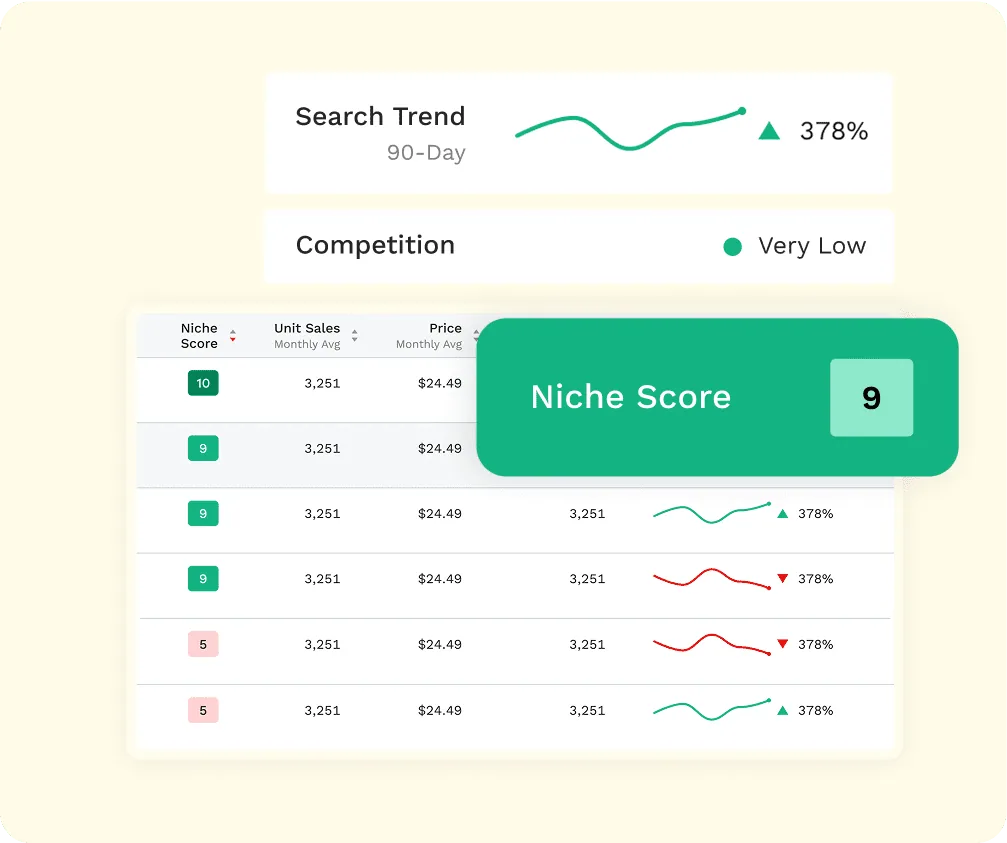
Summarize demand, trend, and competition in a quick reference point, then check the details before turning it into a decision.
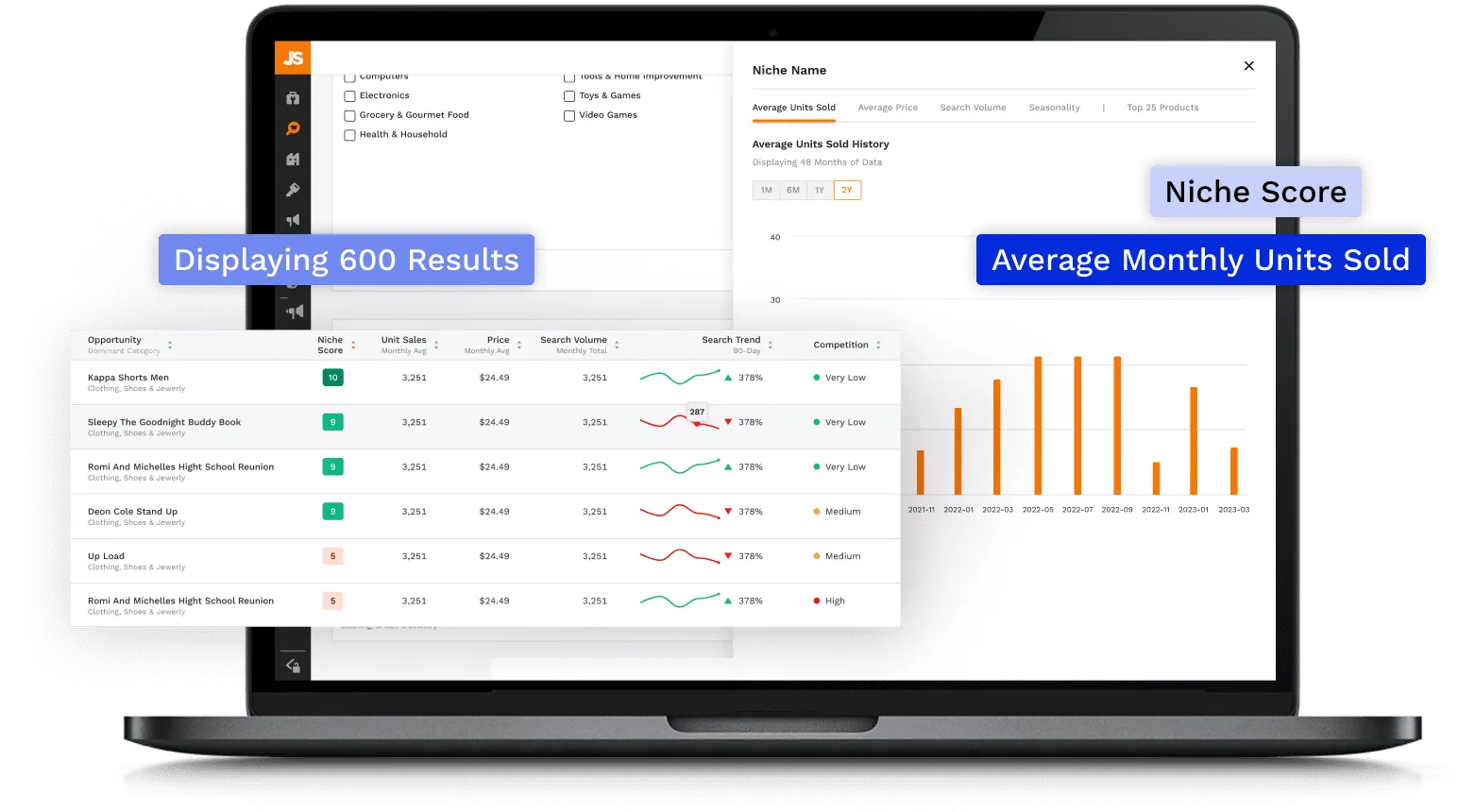
Move from a spotted market to concrete leads: result count, sold units, seasonality, and comparable products.
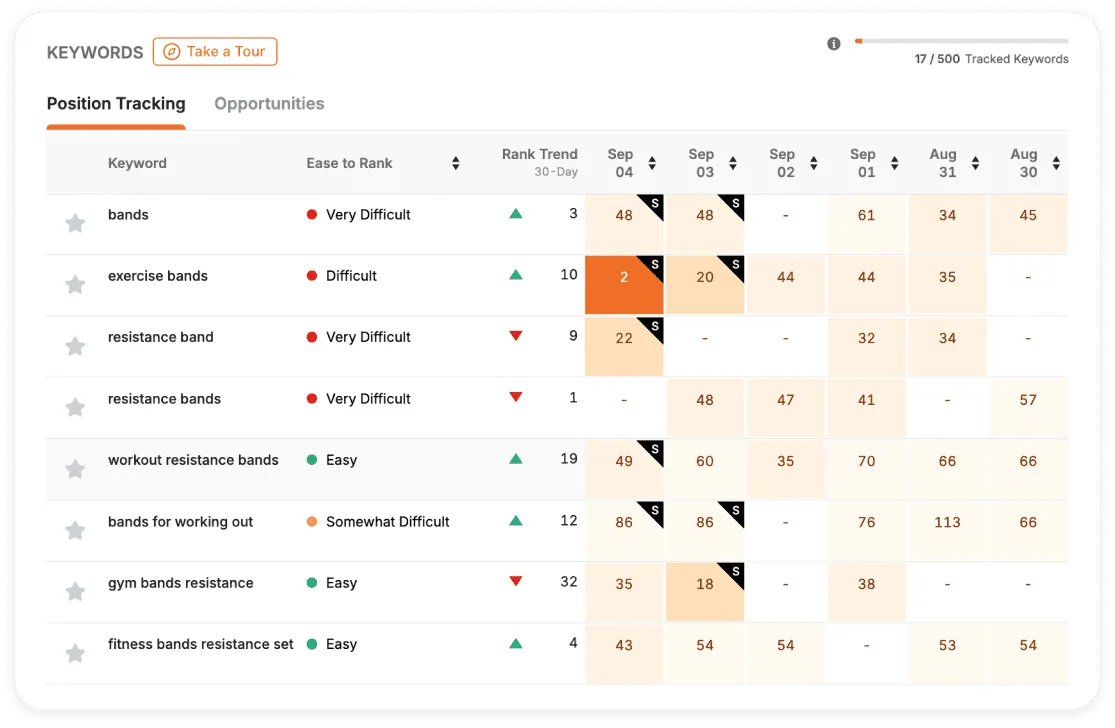
Track keywords over time to understand whether a listing optimization is actually improving visibility.
Where Jungle Scout becomes genuinely useful
Before studying one product, Jungle Scout helps check whether the category shows enough demand and understandable competition.
The product database helps turn a hunch into comparable ideas using price, sales, and review criteria.
Keyword Scout helps understand the words buyers use and the terms to prioritize in titles, bullets, or descriptions.
Keyword tracking connects listing changes to visibility movement instead of looking only at sales.
A niche can look good until top sellers show too many reviews, too much age, or an offer that is hard to beat.
When an idea becomes concrete, SellerAmp helps check cost, fees, ROI, offers, and buying risks.
A simple method for using Jungle Scout
The best use is to separate market research from the buying decision. Jungle Scout clarifies the market; SellerAmp then helps check whether the opportunity can work economically.
Define the field
Pick a category, price level, target margin, and constraints you already want to avoid: fragile, heavy, seasonal, regulated, or too competitive.
Filter niches
Use Opportunity Finder and product research to find ideas with real demand, readable competition, and acceptable seasonality.
Read keywords
Check whether queries confirm market interest, whether demand is growing, and whether main terms are already locked.
Observe products
Look at price, reviews, age, sales pace, and listing quality to understand what would actually need to be beaten.
Validate economics
Move the best candidates into SellerAmp or your internal calculations to measure cost, fees, margin, ROI, and selling risks.
How to read Jungle Scout signals
The tool becomes more useful when every indicator leads to a clear decision instead of just adding more numbers.
Jungle Scout's role in the marketplace block
Jungle Scout does not replace Minea, PiPiADS, Sell The Trend, or SellerAmp. It mainly adds Amazon product research, niche, and keyword analysis.
Ecommerce ad monitoring, trending products, and stores visible through ads.
TikTok and social creative reading: hooks, formats, sales angles, and ad repetition.
Dropshipping validation: product signals, stores, suppliers, and ecommerce testing.
Amazon research: niches, products, keywords, rank tracking, and first competitive reading.
Amazon buying decision: margin, ROI, offers, fees, risks, alerts, and operational sourcing.
Which Rankerfox access includes Jungle Scout?
Jungle Scout is presented as a Rankerfox Premium plan tool. It complements the ecommerce block with Amazon research focused on niches, products, keywords, and market tracking.
Jungle Scout is more specialized: it supports marketplace workflows, product research, and Amazon validation. It therefore stays attached to Premium.
Continue the Amazon and ecommerce block
Jungle Scout with Rankerfox FAQ
Useful points before adding Jungle Scout to your Premium routine.
Add Jungle Scout to your Amazon routine
Compare Rankerfox plans and use Jungle Scout with the other Premium tools to frame marketplace research more clearly.