

Cheap Crazy Egg with Rankerfox
Use Crazy Egg to stop guessing why a page converts poorly. Heatmaps, scrollmaps, recordings, A/B tests, and feedback help you see what visitors view, ignore, click, or abandon.
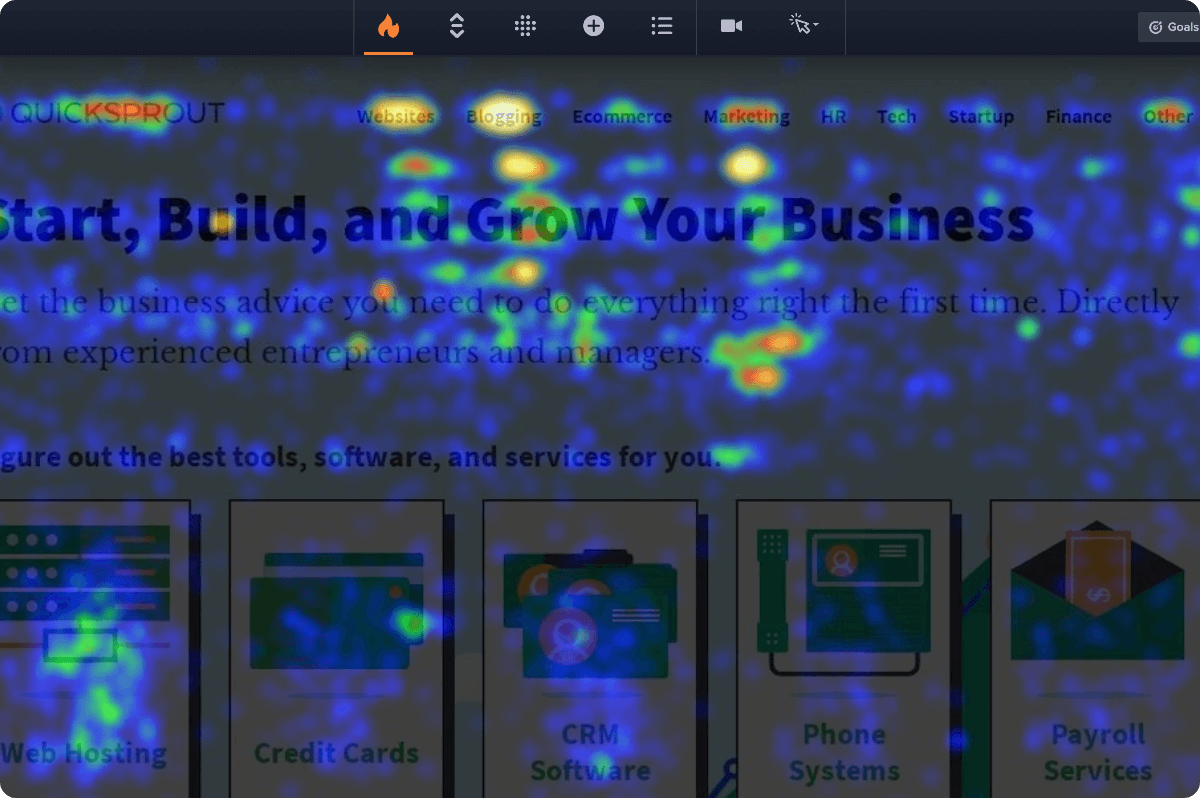
Read real behavior before changing a page
Crazy Egg is useful when a page receives traffic but does not yet deliver enough results. Instead of looking only at the final conversion rate, you observe what happens inside the page: where visitors click, how far they scroll, and which zones seem to block them.
In a Rankerfox routine, Crazy Egg comes after acquisition and content work. Semrush helps choose strategic pages, Text Optimizer strengthens the substance, WordPress or Envato improve execution, then Crazy Egg shows whether visitors actually follow the expected path.
The right use starts with a precise question, for example:
- Is the button seen at the right moment?
- Is the pricing block understood before visitors leave?
- Do readers reach the important proof?
A heatmap then becomes a decision tool, not just an impressive image.
What Crazy Egg helps you understand
The point is to move from opinions about the page to concrete observations that can be sorted, discussed, and tested.
See which areas attract attention, which elements are ignored, and where visitors click in unexpected ways.
Understand how far visitors scroll and where to place important messages, proof, or buttons.
Watch real journeys to spot hesitation, friction, dead zones, errors, or confusing elements.
Move from vague impressions to clearer signals: viewed pages, clicks, conversions, variants, and exports.
Compare page or element variants to validate a hypothesis before rolling a change out more broadly.
Combine behavior maps with visitor feedback when behavior alone does not explain a blocker.
Images that explain the tool quickly
Crazy Egg public screenshots show the role of the tool clearly: making behavior visible when it would otherwise stay hidden in tables.
A heatmap reveals strong zones, weak links, and elements that draw unexpected clicks.
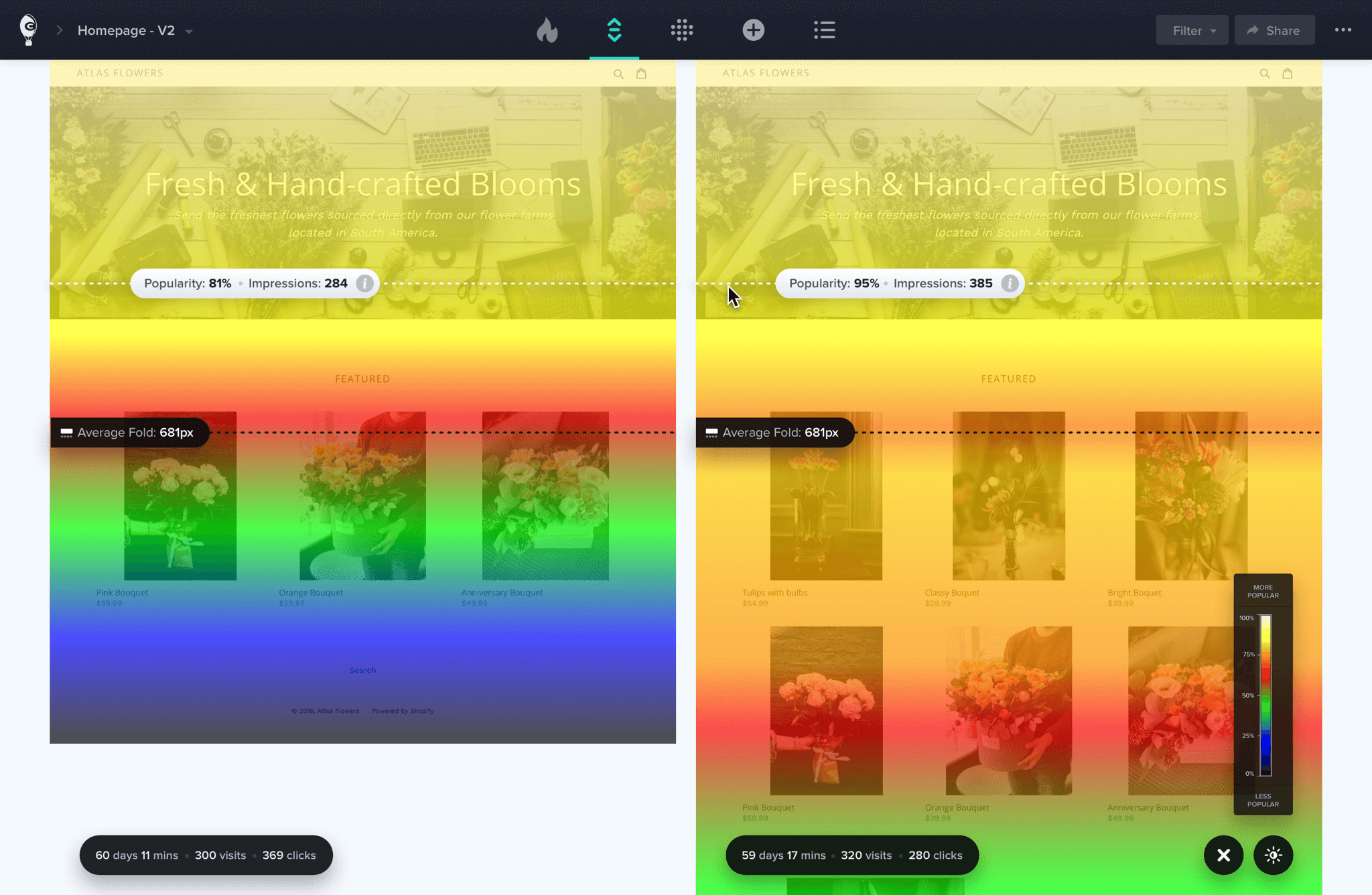
Scrollmaps help you see whether a change actually improves reading depth and exposure to key sections.
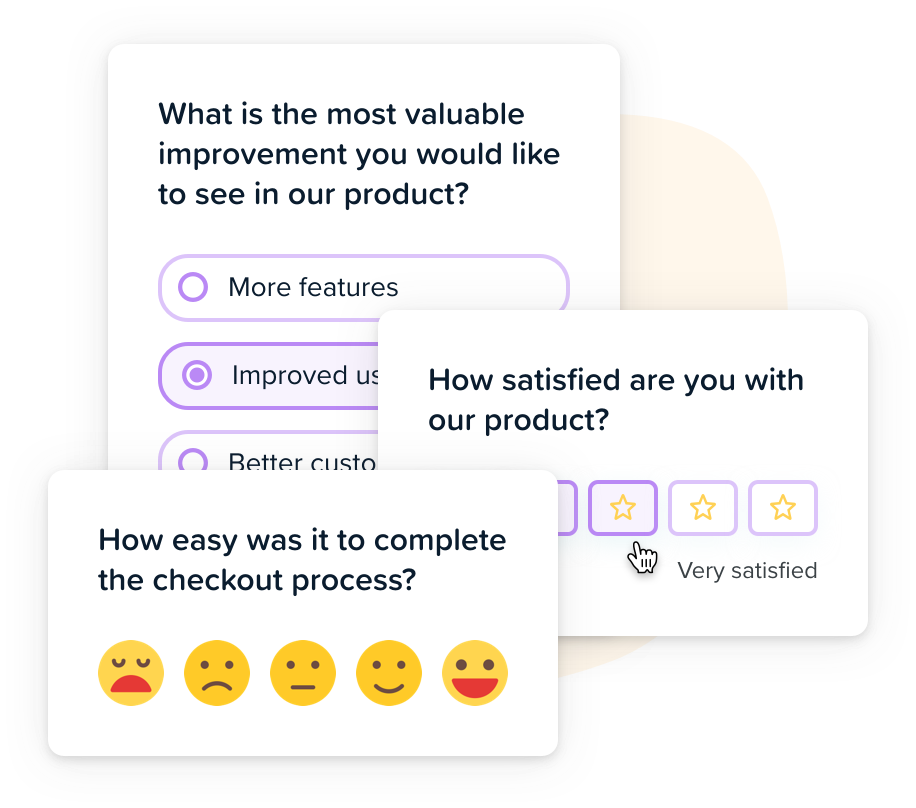
When behavior is not enough, short questions help explain what the visitor was looking for or could not find.
Pages to observe first
Crazy Egg is especially useful on pages where a small improvement can change the business or editorial outcome.
Check whether visitors compare plans, read guarantees, hesitate on buttons, or leave before the FAQ.
- Plan comparison
- Visible buttons
- FAQ reached
See whether the image, plan signal, use cases, and pricing links are understood without making the reader search.
- Useful image
- Clear plan
- Pricing link
Spot the sections that hold attention and the ones that slow the visitor before signup or contact.
- Opening message
- Visible proof
- Low friction
Understand whether readers reach important sections, click related tools, or leave before the strongest answers.
- Deep scroll
- Useful links
- Answers seen
Observe whether visitors look at visuals, details, reviews, pricing, and the steps before purchase.
- Visuals seen
- Proof read
- Cart accessible
Identify fields that create hesitation, repeated errors, and points where visitors stop their journey.
- Field friction
- Visible errors
- Exit points
A simple method for using Crazy Egg
Start with important pages: pricing, tool pages, landing pages, funnels, and articles that bring traffic.
Look for zones with too many or too few clicks, short scroll depth, and elements that visitors misunderstand.
Turn observations into simple decisions: move a block, clarify a button, shorten a section, reposition proof.
Validate changes on a variant when the stakes are high, then keep what truly improves the journey.
Which Rankerfox plan includes it?
Crazy Egg is included from Standard and remains available in Premium.
Standard at 9.99€/month includes Crazy Egg for behavior tracking and key page improvement without a separate subscription.
Premium keeps Crazy Egg and adds the advanced catalog for connecting behavior, SEO, backlinks, content, AI, and web production.
Turn heatmaps into useful decisions
Analyze important pages first, not the entire site without a question.
Compare desktop and mobile because behavior changes heavily by screen.
Cross heatmaps with SEO data, analytics, and customer feedback before deciding.
Do not change a page after three isolated clicks: look for trends, not anecdotes.
Keep consent, privacy, and personal data handling clean.
Write down every tested hypothesis so future changes still make sense.
Connect Crazy Egg to the right Rankerfox paths
Frequently asked questions about Crazy Egg
Useful points before adding Crazy Egg to your Rankerfox workflow.
Observe your pages before changing them
Standard includes Crazy Egg. Premium keeps it and adds advanced tools to connect SEO, content, visuals, and conversion.