

Cheap WordPress themes and plugins with Rankerfox
Use the WordPress resources included with Rankerfox to prepare a site, improve a page, upgrade a store, or deliver cleaner client work. The goal is not to stack extensions. It is to choose the right elements, test them, and keep the site fast.
WordPress workshop
Choose before installing
Build
Theme
Extend
Plugin
Test
Copy
Launch
Fast
The right habit: backup, test, then publish with control. That is how a useful resource becomes a real site improvement.
Turn a site idea into a workable base
WordPress themes and plugins are useful when you need to move quickly without sacrificing structure. A good theme gives you a visual base, a plugin adds one precise function, and page kits help assemble recurring screens.
Inside Rankerfox, these resources fit naturally after SEO and editorial framing: you know which page to produce, which content to show, then you choose the WordPress elements that really support the project.
The value comes from selection. A WordPress site becomes fragile when everything is installed by reflex. The better approach is to choose fewer resources, but make them easier to test, explain, and maintain.
Visual cues before choosing a resource
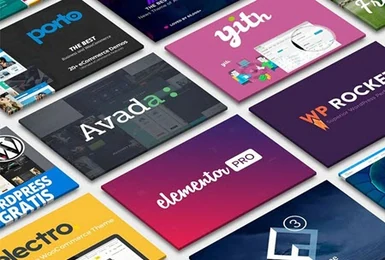
Images do not replace technical testing, but they make it easier to read the style, finish level, and type of functions you can prepare.
WordPress resources help you quickly identify a visual direction: page structure, mobile rendering, commercial sections, and trust elements.
A theme should speed up implementation without locking the site into a heavy structure that is hard to maintain.
Plugins are useful when they add one clear function: forms, SEO, speed, ecommerce, security, or page layout.
WordPress resource families by project type
The catalog helps with both new sites and existing pages. Each family should match a clear decision.
Start from a solid base for a business site, redesign, landing page, or store without rebuilding every layout from scratch.
Add practical features: forms, SEO, speed, security, conversion, blocks, ecommerce, or simple automations.
Assemble recurring screens faster: home, service, pricing, contact, about, article, or product pages.
Prepare cleaner product pages, cart elements, category pages, store blocks, and conversion modules.
What you can prepare with these resources
WordPress covers many situations. What matters is tying each choice to a page, a function, or a concrete delivery.
Save time on page structure, navigation, proof blocks, and mobile presentation.
- Mobile fit
- Service pages
- Clear form
Use a clean visual base to sell an offer, test an angle, or launch a campaign faster.
- Visible message
- Loading speed
- Calls to action
Improve product pages, checkout, filters, cart, and trust elements without piling up unnecessary modules.
- Compatible theme
- Purchase path
- Limited modules
Make articles easier to read, add editorial blocks, and keep the mobile experience stable.
- Readability
- Content structure
- Fast pages
Deliver a more professional base with documented choices and a clear maintenance logic.
- Project license
- Updates
- Simple handoff
Replace sections gradually without breaking the existing site, performance, or indexed content.
- Backup
- Pre-launch tests
- Redirects
Four checks before adding a resource
The best WordPress resources are the ones you can explain, maintain, and remove without breaking the project.
A theme or plugin should answer one precise job: sell, display, secure, speed up, collect, or present better.
Look at the target WordPress version, dependencies, builder, WooCommerce fit, and update rhythm.
Install on a working copy before touching production, especially when the plugin affects critical pages.
A polished design is not enough. Check scripts, images, fonts, effects, and active modules to keep pages fast.
Which Rankerfox plan includes it?
WordPress resources are available during the trial, included in Standard, and kept in Premium.
The 1€ trial lets you check access and see whether the WordPress resources fit your next site project.
Standard at 9.99€/month includes WordPress themes and plugins for regular use: sites, pages, stores, and client deliverables.
Premium keeps the WordPress resources and adds the advanced catalog for SEO, backlinks, AI, creative assets, and agency workflows.
Keep WordPress fast, readable, and maintainable
Create a backup before every important installation or update.
Limit overlapping plugins: two modules doing the same job often create more debt than comfort.
Check compatibility with your theme, PHP version, WooCommerce, and page builder.
Test key pages after activation: home, contact, checkout, article, product page, and customer account.
Keep a simple note: resource used, site, objective, installation date, and main setting.
Remove unused themes and plugins to reduce risk, admin noise, and slowdowns.
Connect WordPress to the right Rankerfox paths
Pair WordPress with visuals, fonts, videos, documents, and creative assets for richer pages.
Improve the semantic substance before dressing a WordPress page with blocks or a new theme.
Go back to the Rankerfox catalog and see where WordPress fits among the production tools.
Frequently asked questions about WordPress themes and plugins
Useful points before adding these resources to your Rankerfox workflow.
Prepare your WordPress pages with Rankerfox
Standard includes WordPress resources. Premium keeps them and adds the advanced tools for SEO, AI, creative production, and agency workflows.