

Cheap Quetext with Rankerfox
Use Quetext to check originality, find close sources, prepare citations, and deliver cleaner content. In Rankerfox, Quetext is tied to the Premium plan.
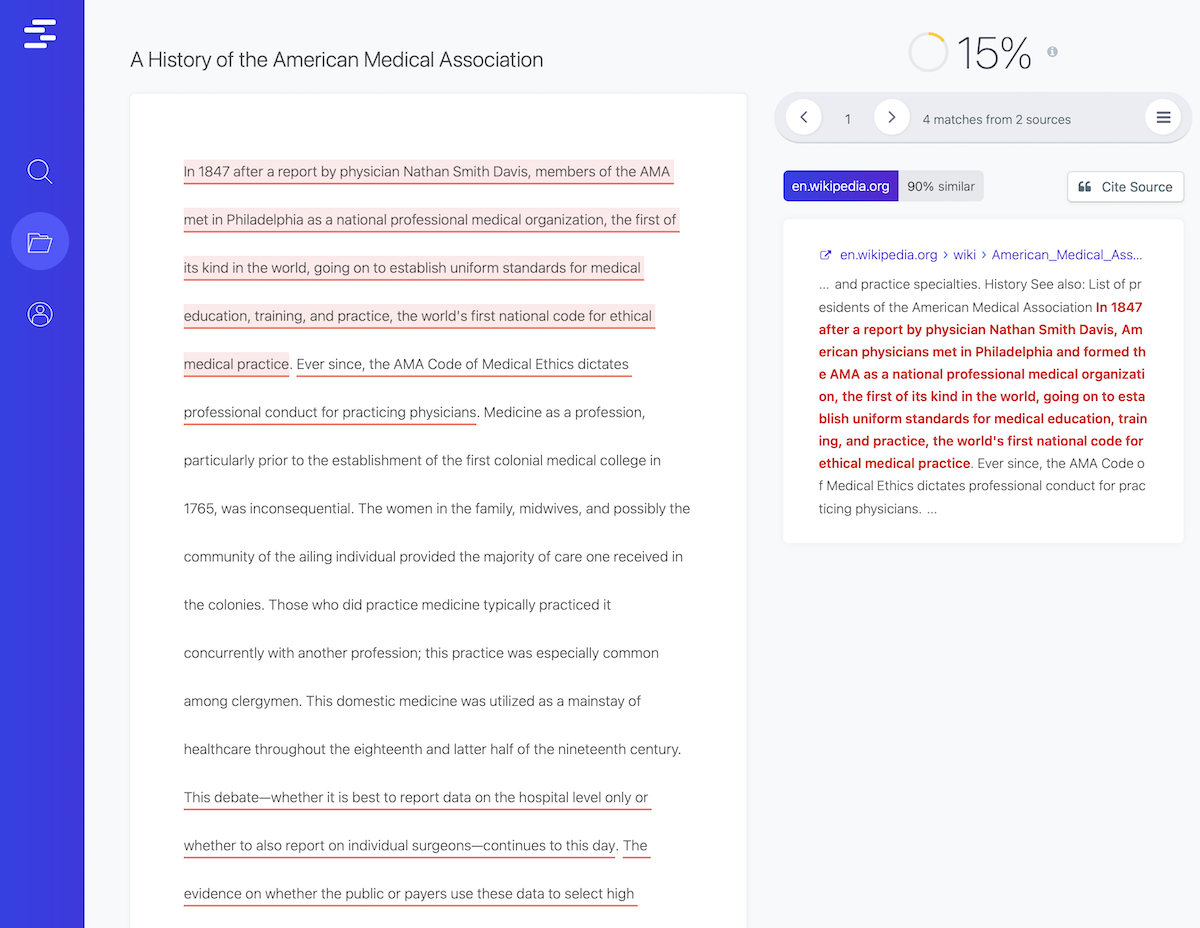
Check content before it goes live
Quetext is useful when a text has already been written, adapted, translated, or received from a contractor and needs a final review before publication. The goal is not to add a heavy step. It is to find the passages that need a decision.
In a Rankerfox Premium routine, Quetext complements writing and optimization tools. It fits at the validation stage: before delivering a client page, publishing an SEO article, rewriting product copy, or finalizing a document.
Useful questions to ask before checking:
- Does the text stay too close to an existing source?
- Are the necessary citations visible enough?
- Which passages need rewriting before publication?
- Can the document be approved without creating editorial doubt?
What Quetext helps you review
The value is moving from a vague concern to a list of passages, sources, and practical fixes.
Find passages that are too close to existing sources, then decide whether to cite, rewrite, or remove them.
Identify likely sources and prepare a cleaner citation when a reference is useful to the final piece.
Read the risk level of a document quickly and focus your review on the sections that need attention.
Use the AI Score cues when a document needs an extra review before delivery or publication.
Keep a record of checks, especially when a team, client, or batch of content needs traceability.
Turn a vague doubt into a list of passages to review without slowing down the whole content workflow.
From raw text to an actionable report
Quetext public visuals show the flow clearly: submit text, run the check, read matches, and keep useful reports.
The report view helps connect a passage in the document with a possible source, then choose the next action: citation, rewrite, or approval.
- A short common phrase may simply be approved.
- A paragraph close to a source needs a proper rewrite.
- A useful reference deserves a clear citation.
- A batch of content should stay traceable so nothing gets missed.
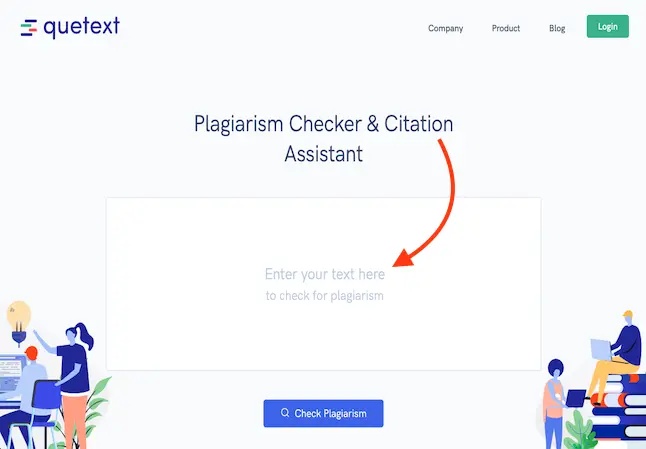
Start with a defined piece of content: article, service page, product description, client draft, or longer document.
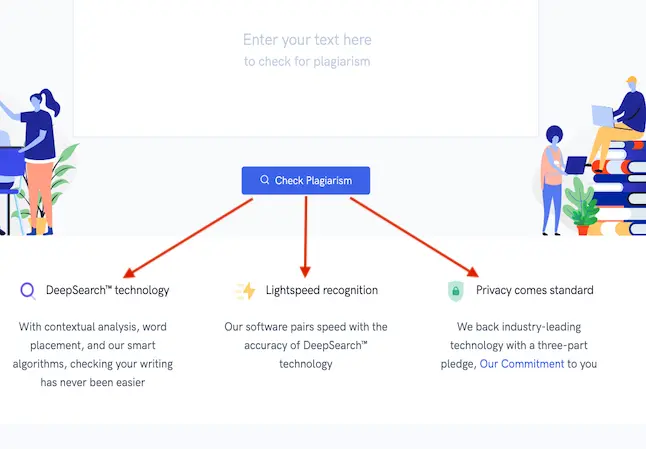
Quetext highlights DeepSearch, fast recognition, and privacy-focused checks when analyzing content.
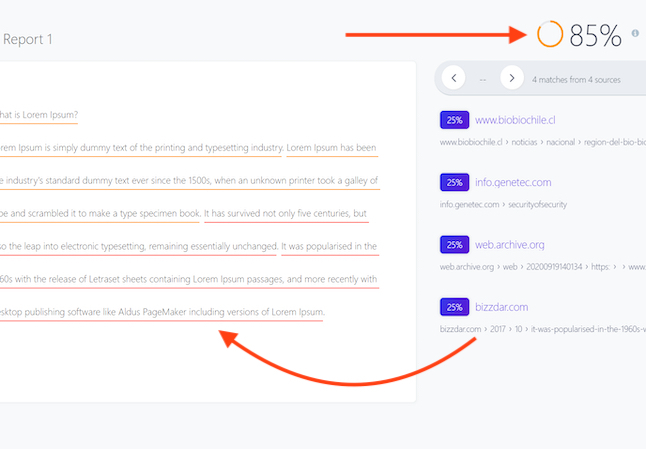
The report surfaces close passages, possible sources, and a score that helps prioritize the review.
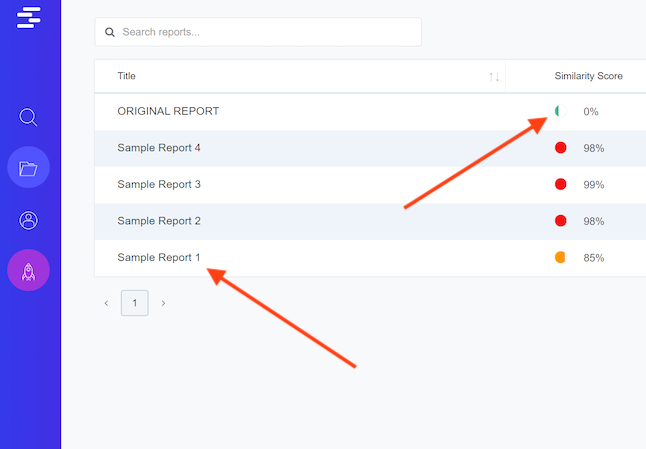
Successive checks are easier to manage when a team handles several texts or multiple versions.
Where Quetext saves time
Quetext is especially useful when content needs to be published regularly without losing source discipline.
Review passages inspired by competitor or research sources before a page goes live.
- Sources found
- Clean citations
- Targeted rewrites
Check that a commercial page is not too close to another offer, client notes, or an older version.
- Distinct angle
- Reworked phrasing
- Ready-to-publish copy
Clean up descriptions that stay too close to supplier feeds, marketplace copy, or competing content.
- Original descriptions
- Checked sources
- Useful variants
Review a batch before approval, especially when several writers or contractors work in parallel.
- Checked deliverables
- Clear fixes
- Easier feedback
Make sure an adapted piece does not remain too close to the original structure to feel valuable.
- Adapted text
- Sources kept
- Human review
Check guides, internal resources, and learning materials before sharing them with a team or clients.
- Clean references
- Sensitive passages
- Final version
A simple way to use Quetext
Work from a version that is close to publication, not a rough draft, so the check leads to useful decisions.
Run the similarity check and read the flagged passages before relying on the overall score.
Cite intentional references, rewrite overly close sections, and remove anything that does not help the piece.
Finish with a human edit so the content keeps its voice, clarity, and structure.
Which Rankerfox plan?
Quetext is tied to Rankerfox Premium.
Quetext is part of the Premium plan at €14.99/month. It complements content and agency tools when you need originality checks, source review, and citations before publication.
Quetext is used for quality control: content batches, client deliveries, long documents, SEO content, and final checks before publishing. That places it in the Premium plan.
Keep the check useful and natural
Use the score to sort priorities: start with long, repeated, or close matches to important sources.
Keep useful sources nearby so you can cite properly, verify a date, or preserve a reference.
Read every flagged passage in context: a common phrase does not need the same action as a full paragraph.
For SEO content, make sure the rewrite keeps the intent, proof points, and useful examples.
For client work, turn findings into simple actions: cite, rewrite, remove, or approve.
Do a final style pass after corrections so the piece feels natural instead of patched together.
Connect Quetext with other content tools
Quetext frequently asked questions
Useful points before adding Quetext to your Rankerfox Premium routine.
Check sources before publishing
Premium includes Quetext with the other advanced tools for checking, correcting, and finalizing content before it goes live.