
Available plans
Premium
TrendTrackwith Rankerfox
Explore TrendTrack to monitor Shopify stores, read rising ads, analyze competitor emails, and frame ecommerce decisions with more concrete market signals.
Family
Shopify stores, ads, advertisers, emails, BrandTracker, folders, and Chrome extension.
Use
Spot moving stores, durable ad angles, and product signals worth checking.
Plan
Confirmed plans for TrendTrack: Premium. Compare plans according to the other tools and resources you need.
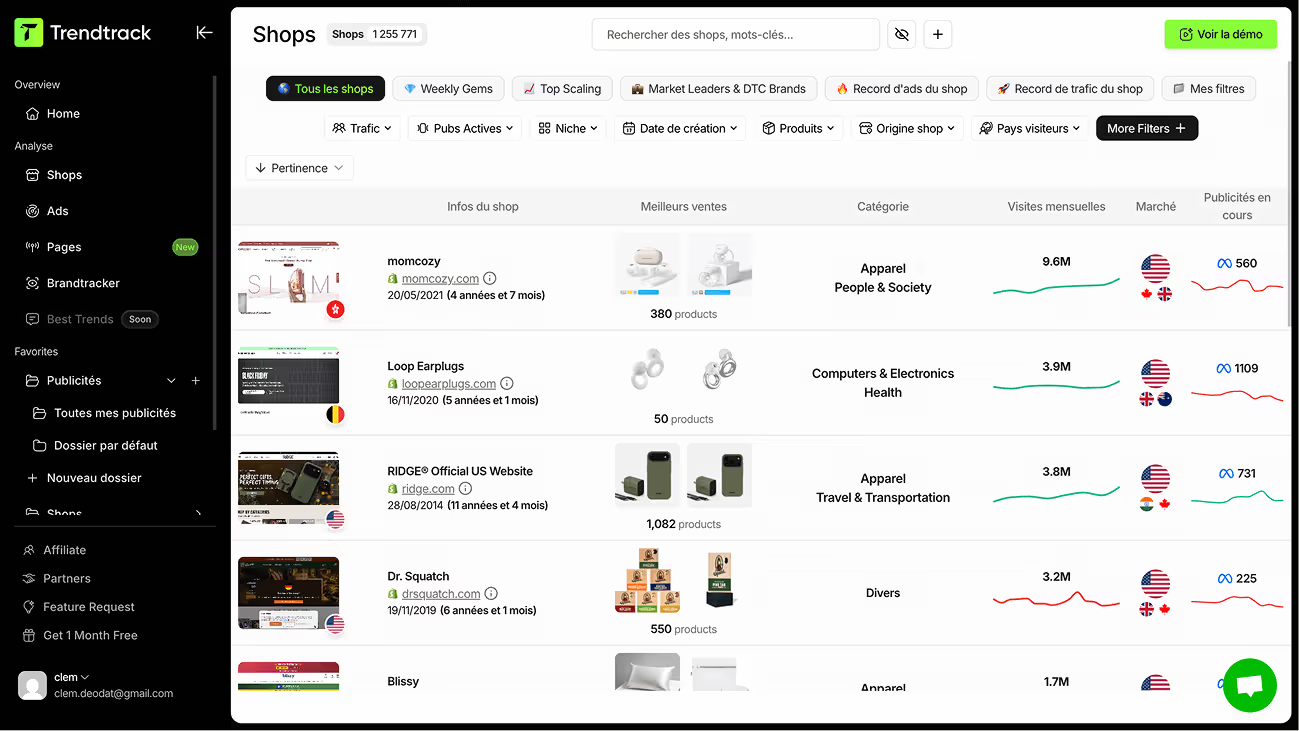
TrendTrack gives ecommerce research a more concrete market view
TrendTrack presents itself as an ecommerce intelligence platform focused on stores, ads, advertisers, emails, and regularly refreshed market signals. Inside Rankerfox, it complements Minea, PiPiADS, Foreplay, and Sell The Trend with a broader view: who is selling, who is advertising, which emails keep appearing, which stores are worth monitoring, and which signals deserve a serious test.
Identify growing stores, compare products, read public traffic signals, apps, pages, and visible activity around a market.
Observe creatives, offer angles, active advertisers, and formats that appear to last before planning a campaign.
Browse public ecommerce campaigns to spot follow-up mechanics, seasonal offers, sequences, and layouts that can inspire cleaner strategy.
Monitor brands over time instead of deciding from one isolated screenshot, and catch changes in products, ads, emails, or traffic.
Analyze a Shopify store while browsing, with product, app, and ad signals that speed up a first qualification.
Keep only the stores, ads, and emails that matter, so research becomes reviewable instead of a pile of screenshots.
Concrete visuals to understand the tool
TrendTrack is visual by nature: stores, email libraries, the Chrome extension, and monitoring screens make its role much easier to understand.
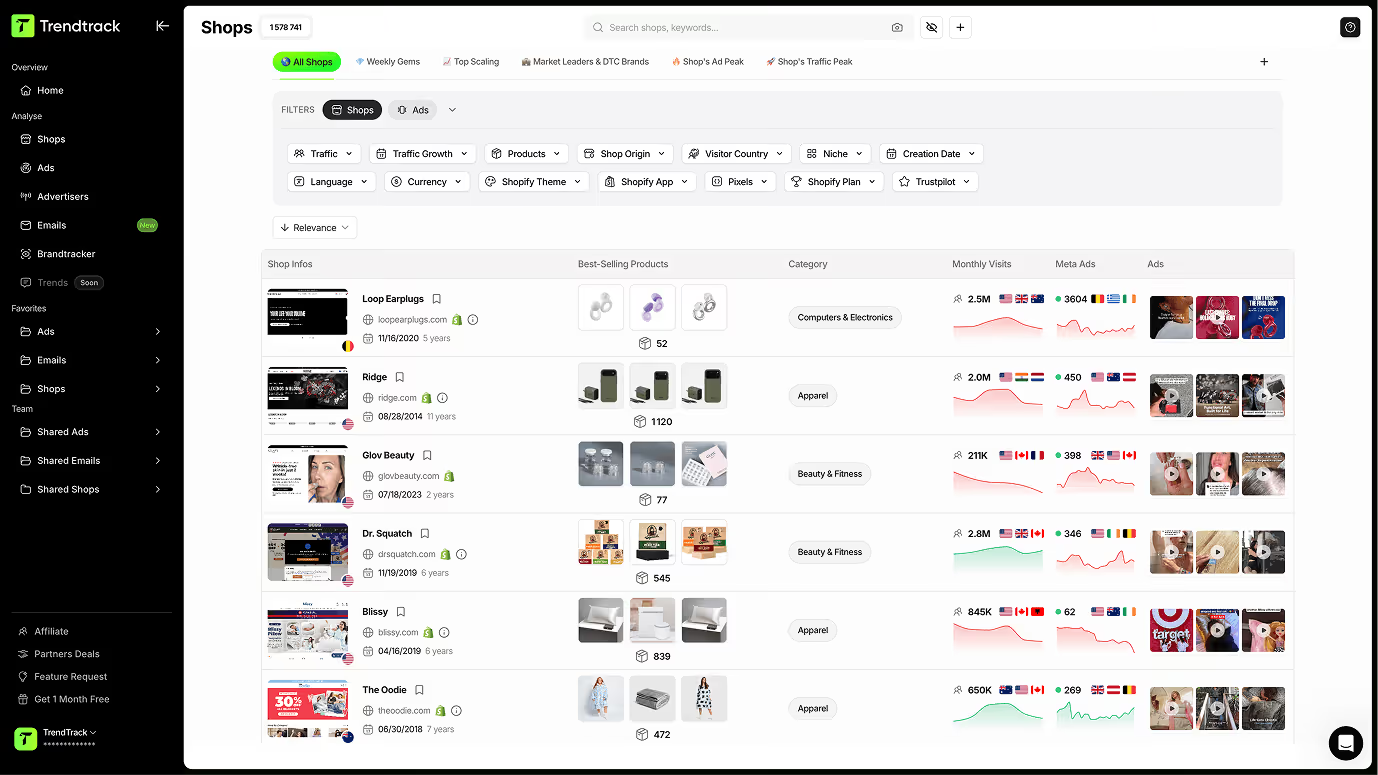
The public view highlights a centralized way to read stores, ads, and market signals before making decisions.
The shop database helps spot brands, niches, and products worth monitoring before launching a page, offer, or campaign.
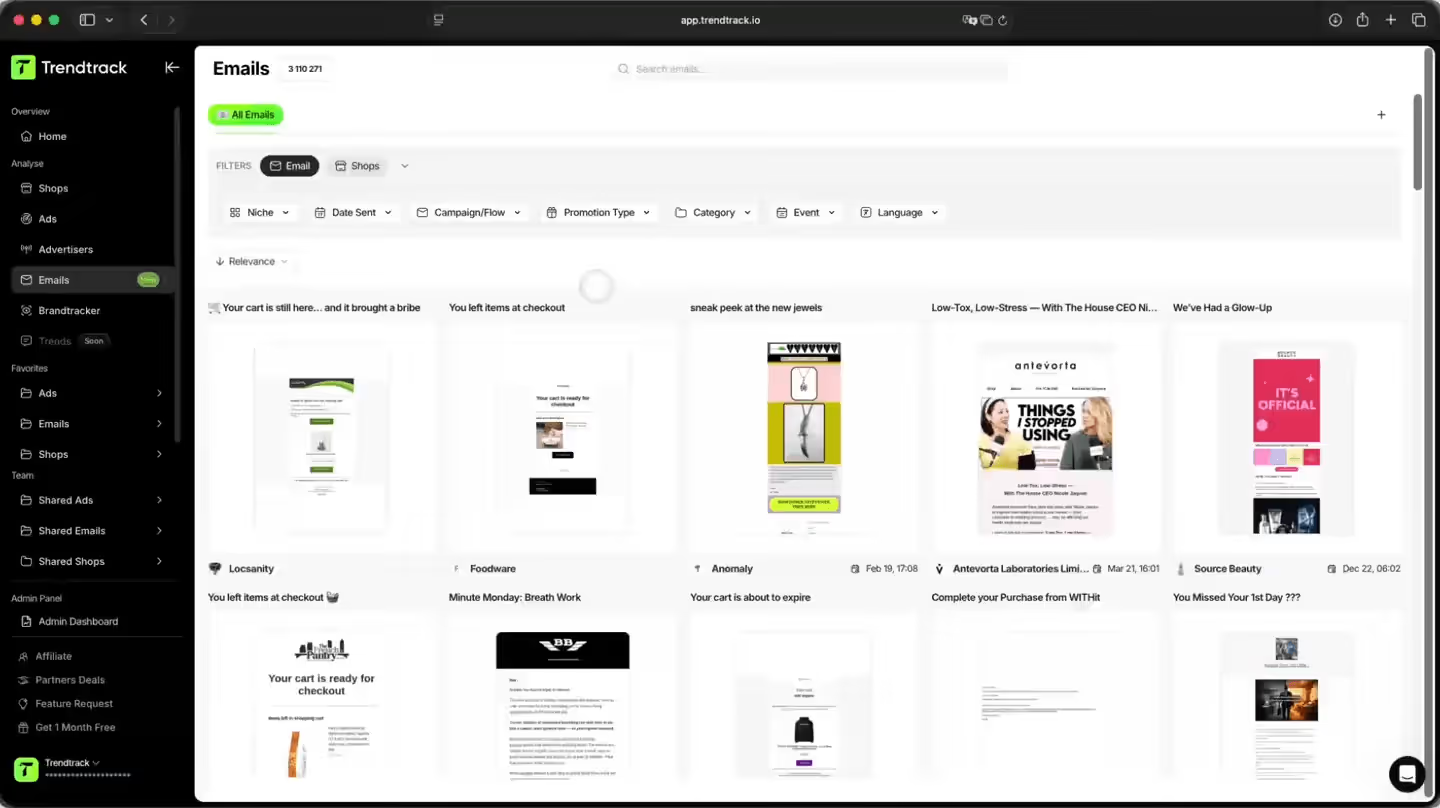
The email library shows campaign, offer, and follow-up examples that can feed CRM or content strategy.
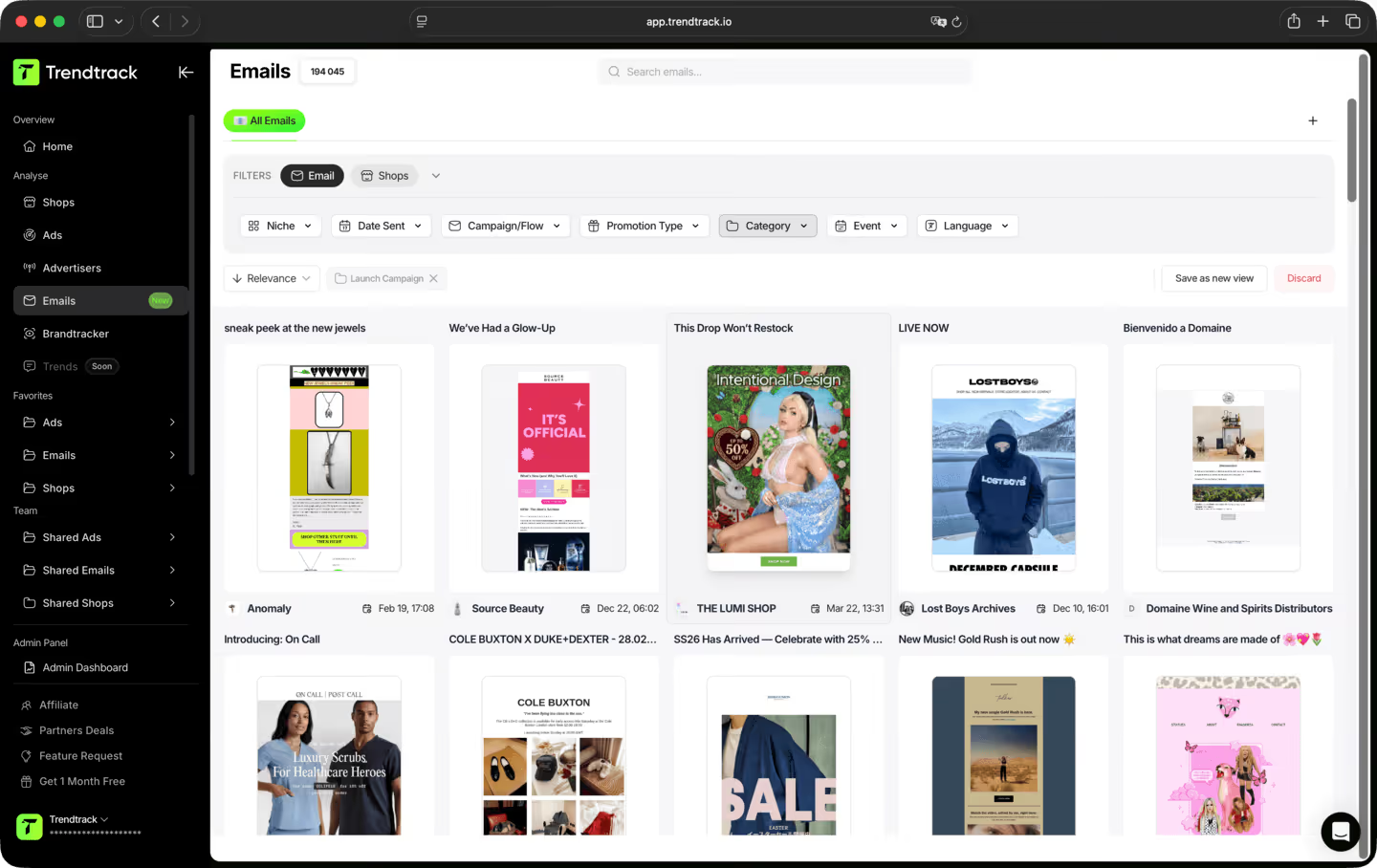
Filters help move from a wide collection to usable examples by niche, event, email type, or intent.
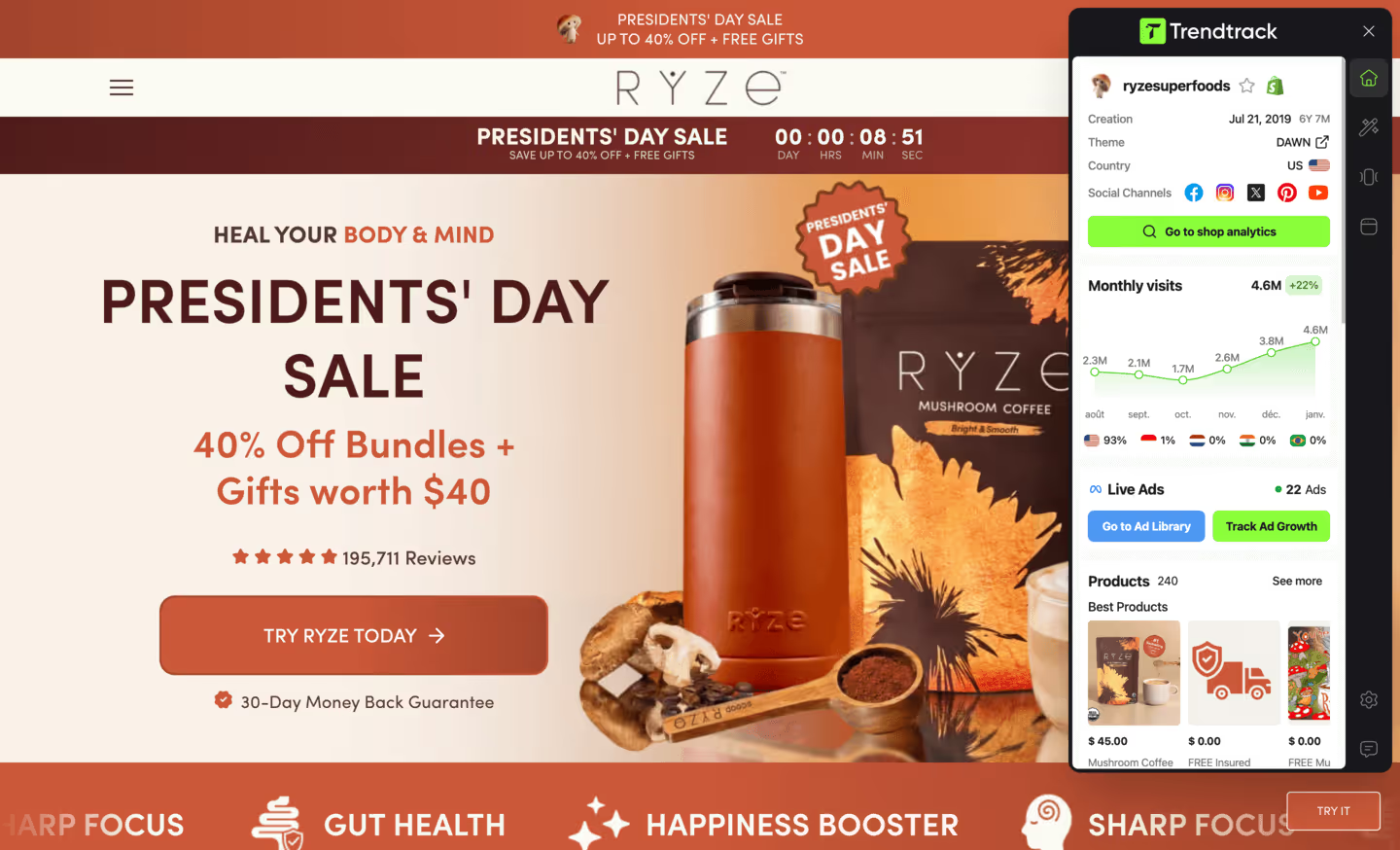
The extension helps qualify a store while you visit it, with a fast read on visible products, apps, and ads.
A useful TrendTrack routine inside Rankerfox
TrendTrack becomes more useful when each search answers a concrete decision: monitor a market, validate an idea, prepare creative work, or understand why a store is accelerating.
Choose a niche, product type, store, or sales question before opening large lists.
Compare stores, ads, emails, traffic, apps, and publishing rhythm to spot what deserves a deeper review.
Keep only usable examples: an offer angle, product to monitor, email structure, or brand to follow.
Validate with Minea, PiPiADS, Semrush, Similarweb, Foreplay, or your own data before turning a signal into budget.
TrendTrack compared with nearby tools
Read Shopify stores, ads, emails, advertisers, folders, and brand monitoring.
Best when you want to understand an ecommerce market beyond one isolated creative.
Observe ads, products, stores, and ecommerce signals across several channels.
Very useful for spotting first product or ad traction.
Analyze TikTok and Meta creatives, short hooks, and products circulating on social platforms.
Useful with TrendTrack when social creatives need to be connected back to stores.
Classify ads, build a swipe file, prepare creative direction, and organize inspiration.
Great after TrendTrack when observations should become cleaner creative direction.
Validate products, suppliers, stores, sourcing, and dropshipping signals.
Closer to product decision when an idea deserves a commercial test.
How is TrendTrack available?
Confirmed plans for TrendTrack: Premium. Compare plans according to the other tools and resources you need.
TrendTrack is offered in the Premium plan. Usage limits are those shown in the member area for the selected access option.
Explore it as a decision tool, not an automatic copy machine
A visible store or active ad does not guarantee margin, reliable sourcing, or profitable audience fit.
The goal is to understand angles, proof, and offers, then produce a version aligned with your brand and rights.
Compare TrendTrack with your costs, pages, competitors, audiences, and other Rankerfox tools before prioritizing.
Pages to read with TrendTrack
Spot ads, products, and stores before cross-checking signals inside TrendTrack.
Read short social creatives and hooks that may explain traction.
Turn ad observations into swipe files, boards, and creative direction.
Complete product, sourcing, and dropshipping validation before a test.
TrendTrack with Rankerfox FAQ
Useful answers before adding TrendTrack to an ecommerce or ad monitoring routine.
Explore TrendTrack use cases
Confirmed plans for TrendTrack: Premium. Compare plans according to the other tools and resources you need.
View pricing